One system for
the whole program.
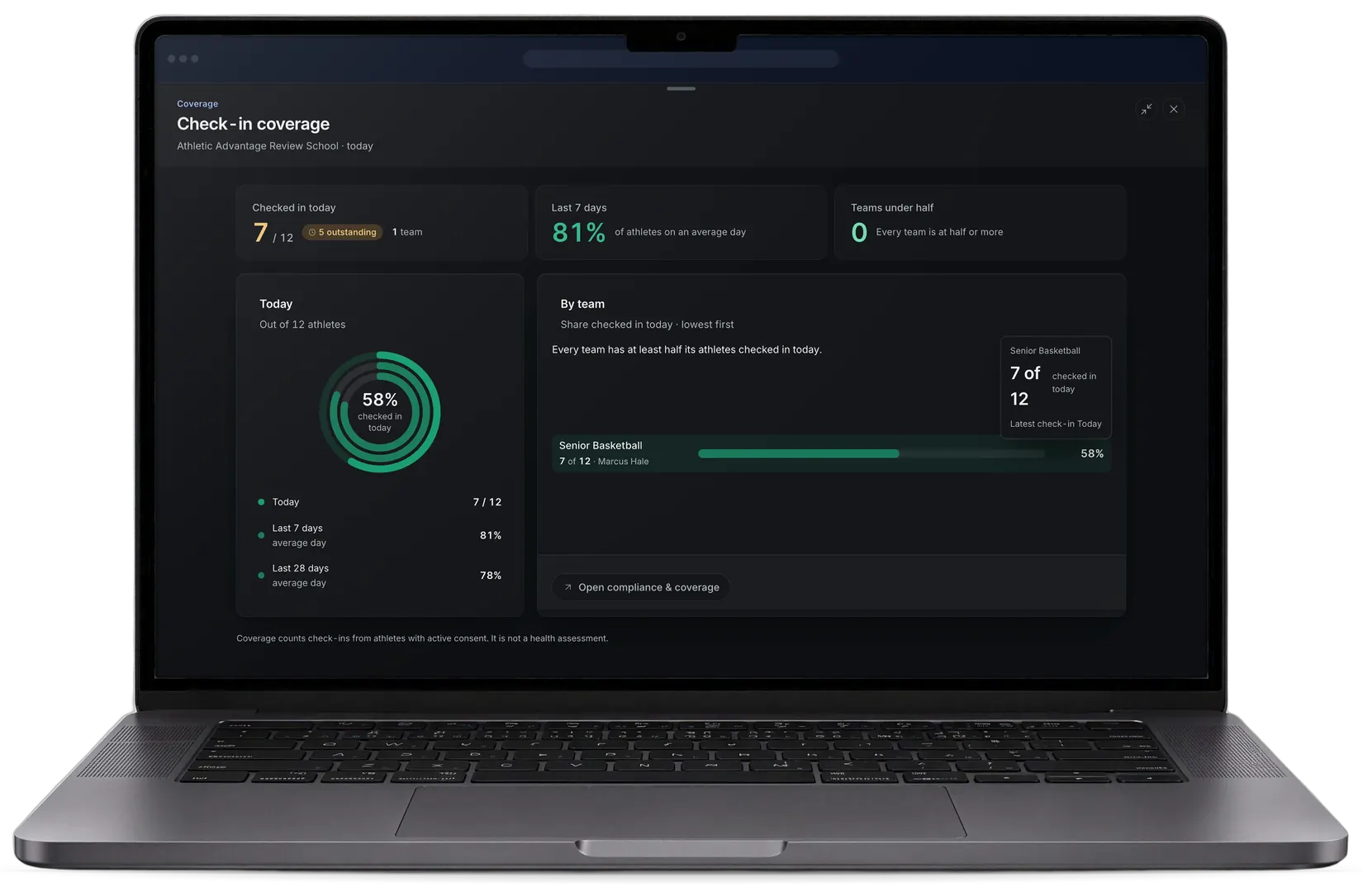
A laptop showing the administrator’s Check-in coverage panel: 7 of 12 athletes checked in today (58%), 81% of athletes on an average day over the last 7 days and 78% over the last 28 days, with the team’s share beneath
Sample data

The school’s view of every team.

Admin console

Coverage, accountability and the next step.

Department overview
Sample data
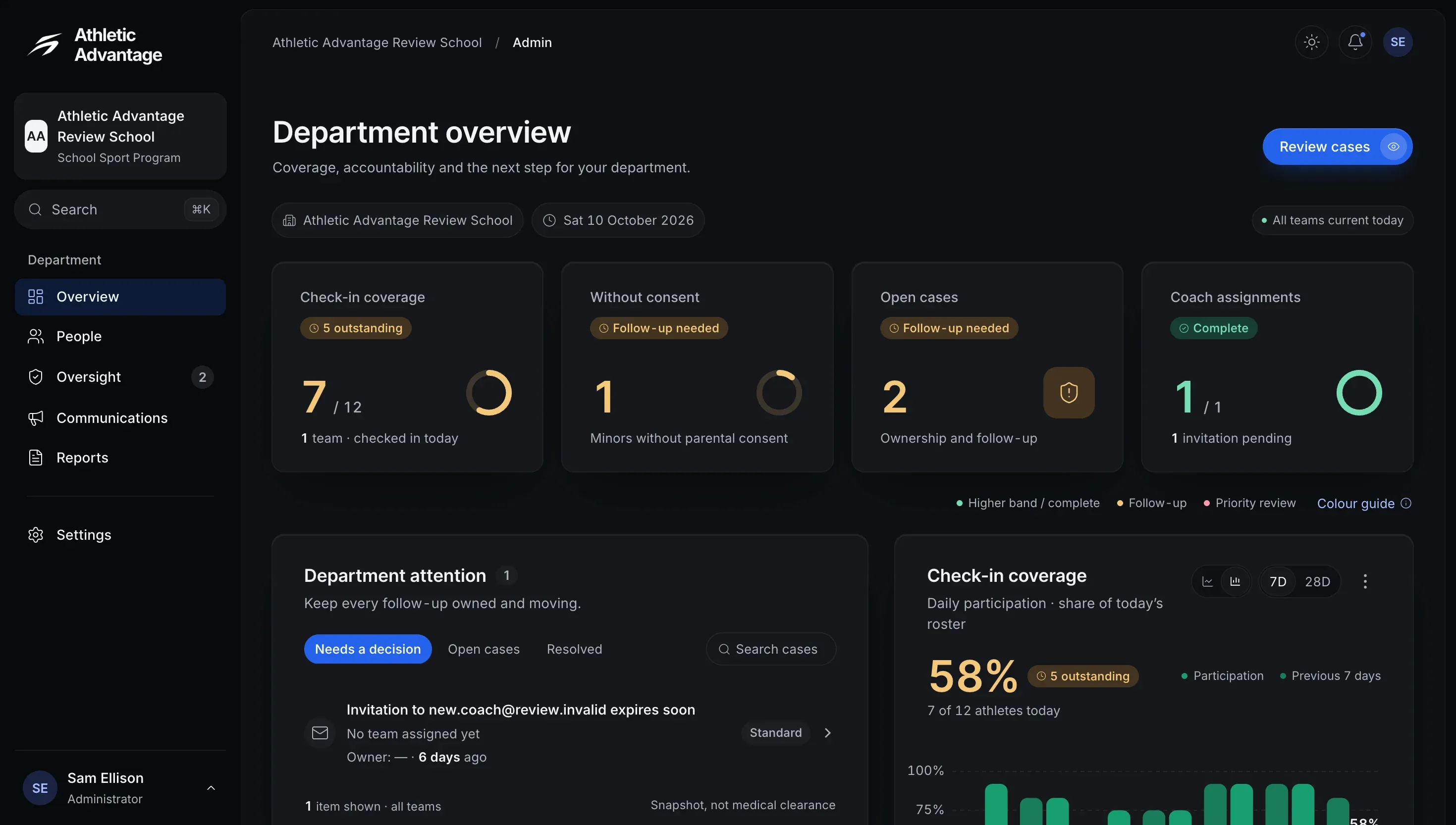
The administrator’s Department overview: 7 of 12 athletes checked in today, 1 minor without parental consent, 2 open cases and 1 of 1 coach assignments, above the department’s attention list and a check-in coverage chart

Teams, staff and access.

Sample data
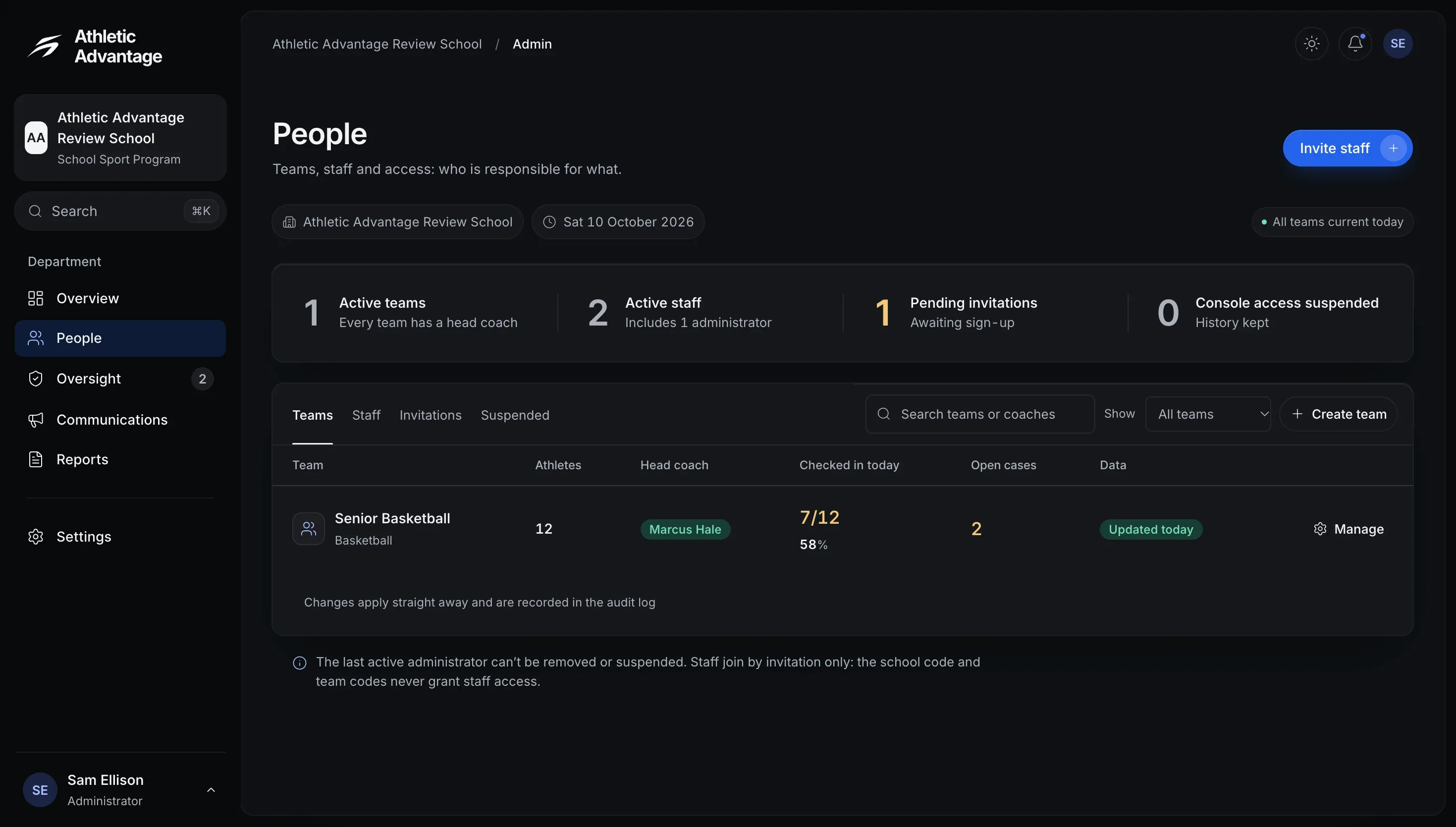
The administrator’s People page: 1 active team, 2 active staff, 1 pending invitation and 0 suspended, with the team’s athletes, head coach, check-ins today and open cases

Who is responsible for what.

Sample data
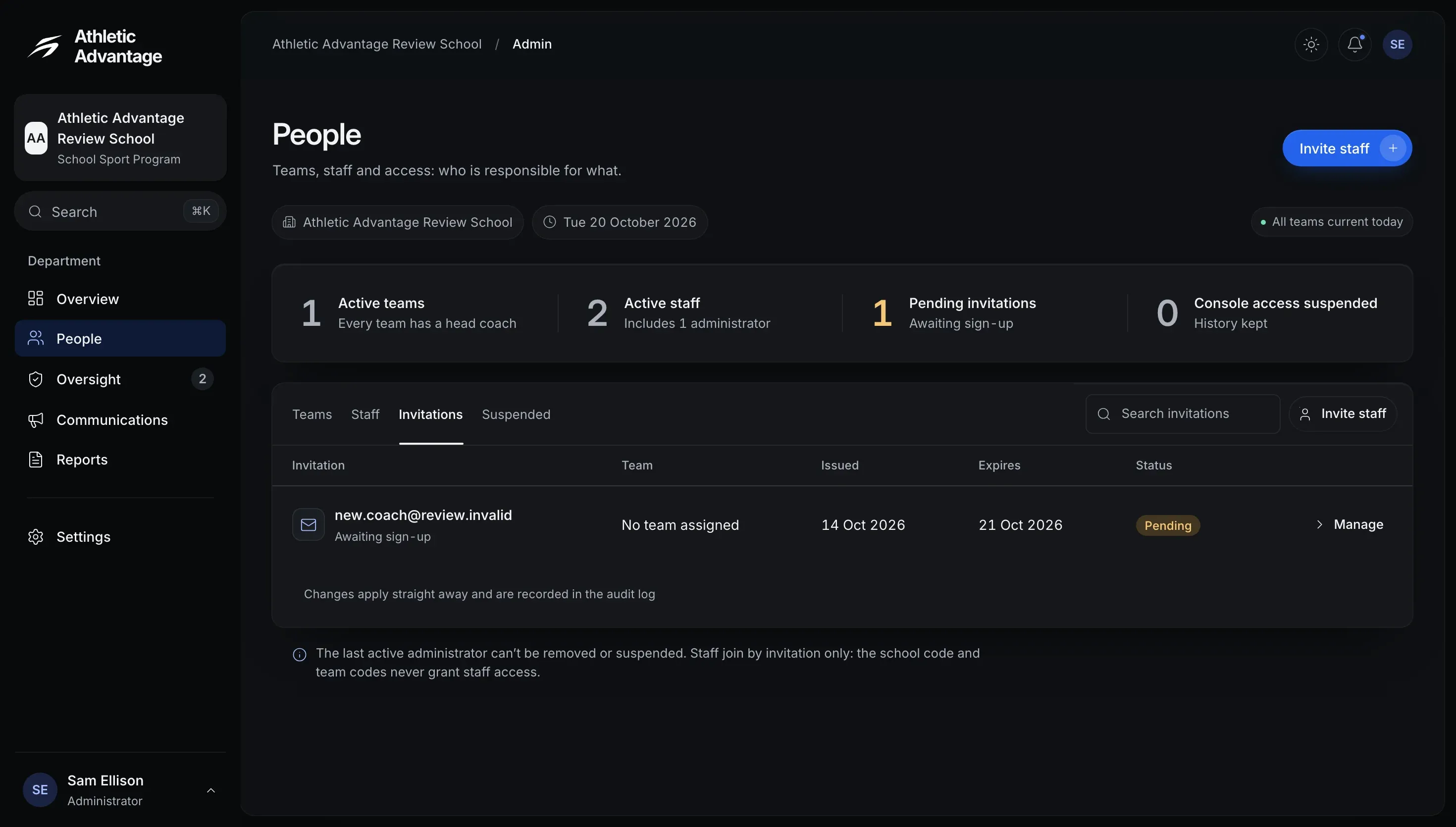
The administrator’s People page, Invitations tab: 1 pending staff invitation with no team assigned, issued 14 October 2026 and expiring 21 October 2026, and a note that the school and team codes never grant staff access

Staff join by invitation only.

Coverage and consent in view.
Sample data
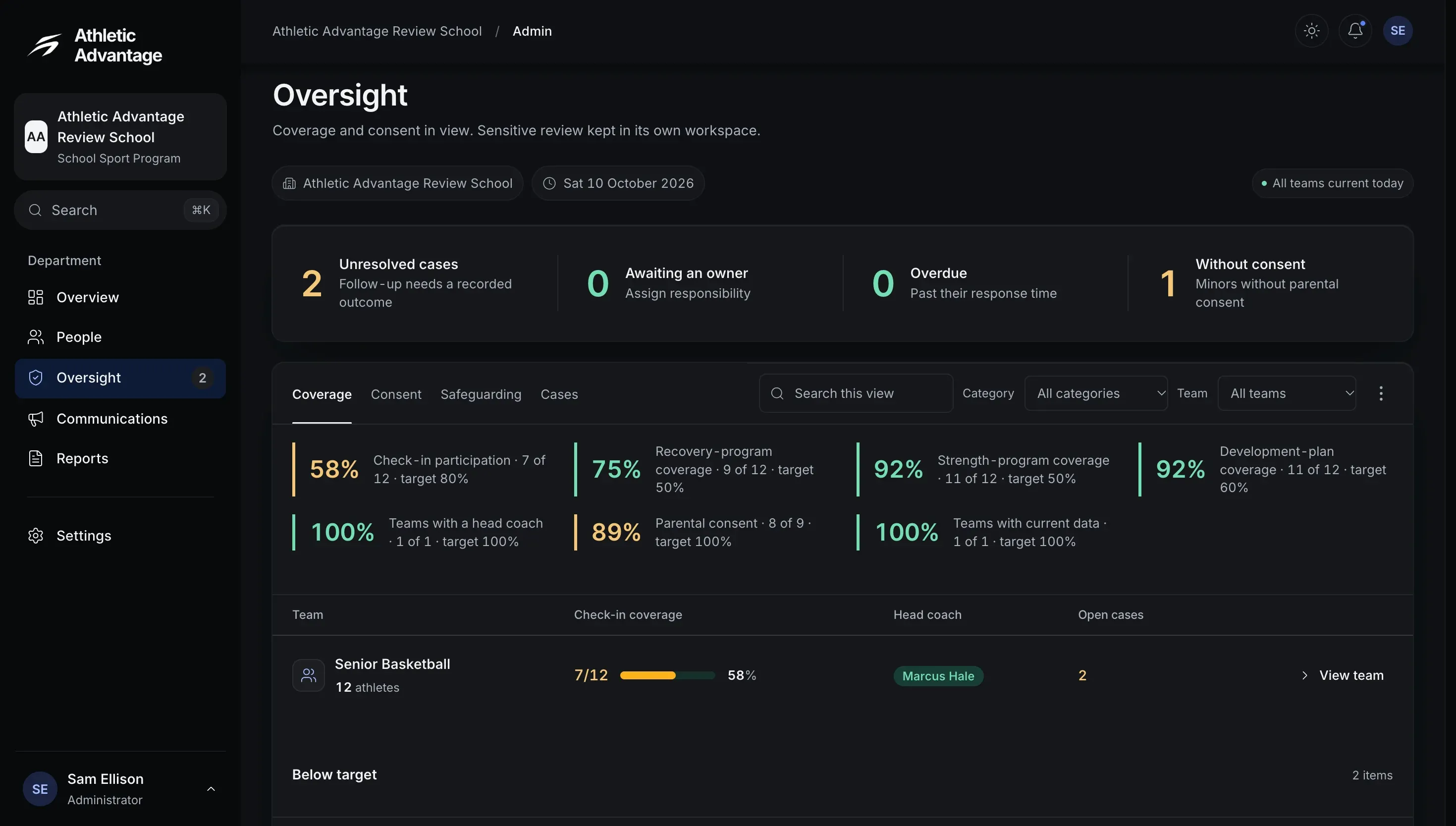
The administrator’s Oversight page, Coverage tab: 2 unresolved cases, none overdue and 1 minor without parental consent, then coverage against each target (check-in participation 58%, parental consent 89%) and the team’s check-in coverage, head coach and open cases

Sensitive review kept in its own workspace.
Sample data
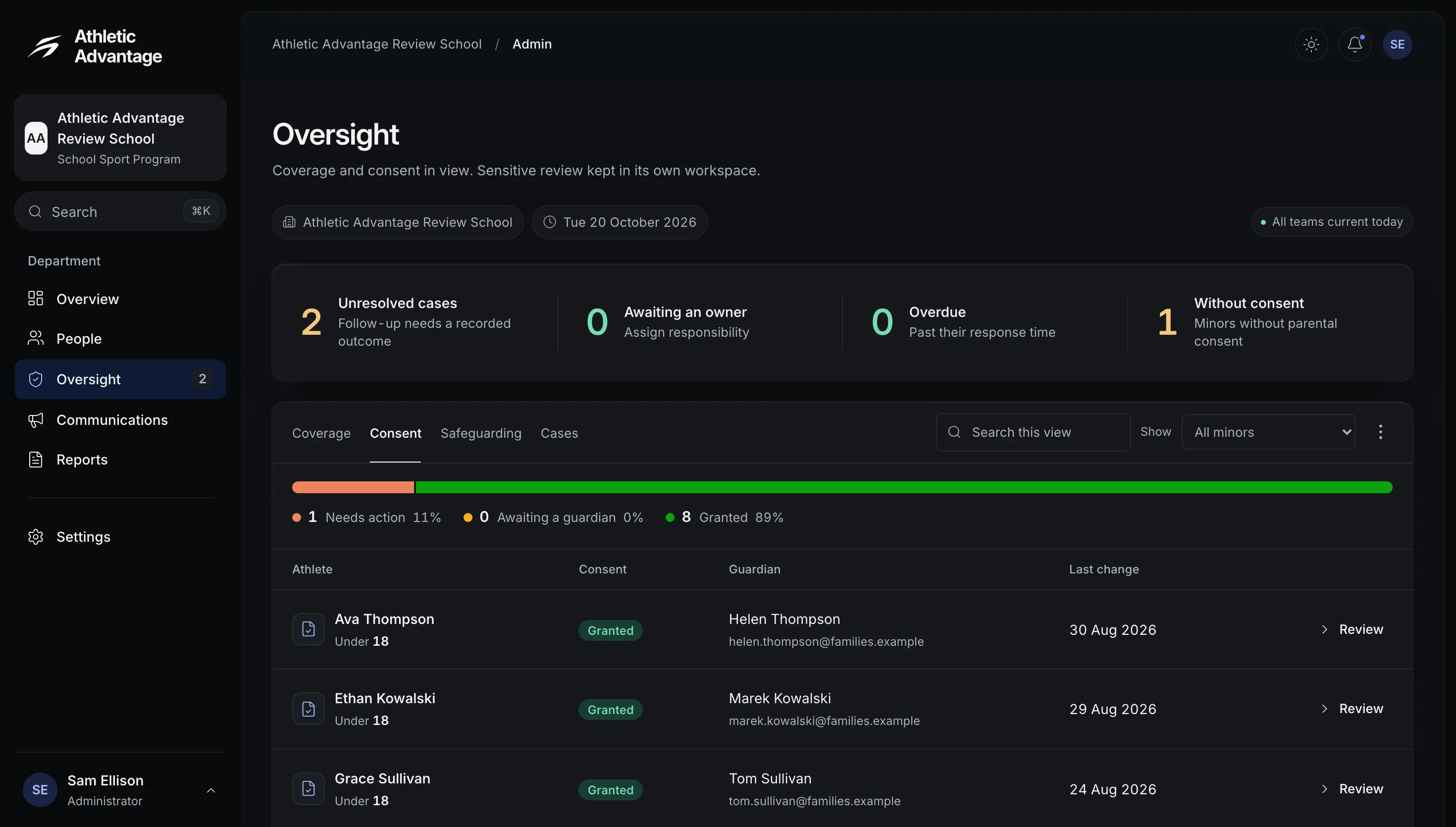
The administrator’s Oversight page, Consent tab: 1 minor without parental consent, a bar of 1 needing action (11%), 0 awaiting a guardian and 8 granted (89%), above a table of minors with their consent, guardian and date of last change

Where each under-18 athlete’s consent stands.
Sample data
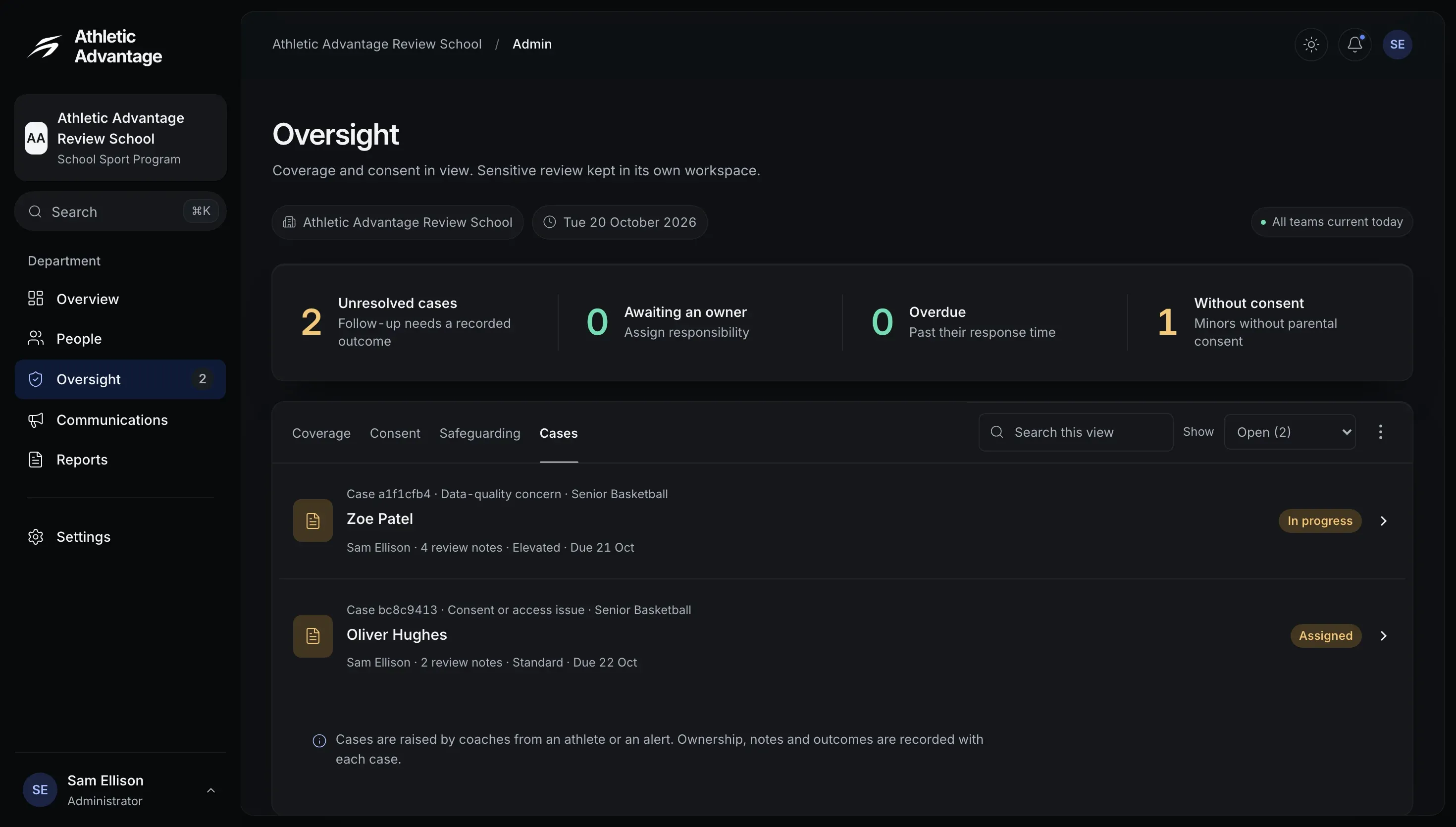
The administrator’s Oversight page, Cases tab: 2 unresolved cases, none overdue, then the two open cases, one in progress and one assigned, each with its severity, owner and due date

Follow-up needs a recorded outcome.

Prepare staff announcements with a clear audience.

Staff announcement
Sample data
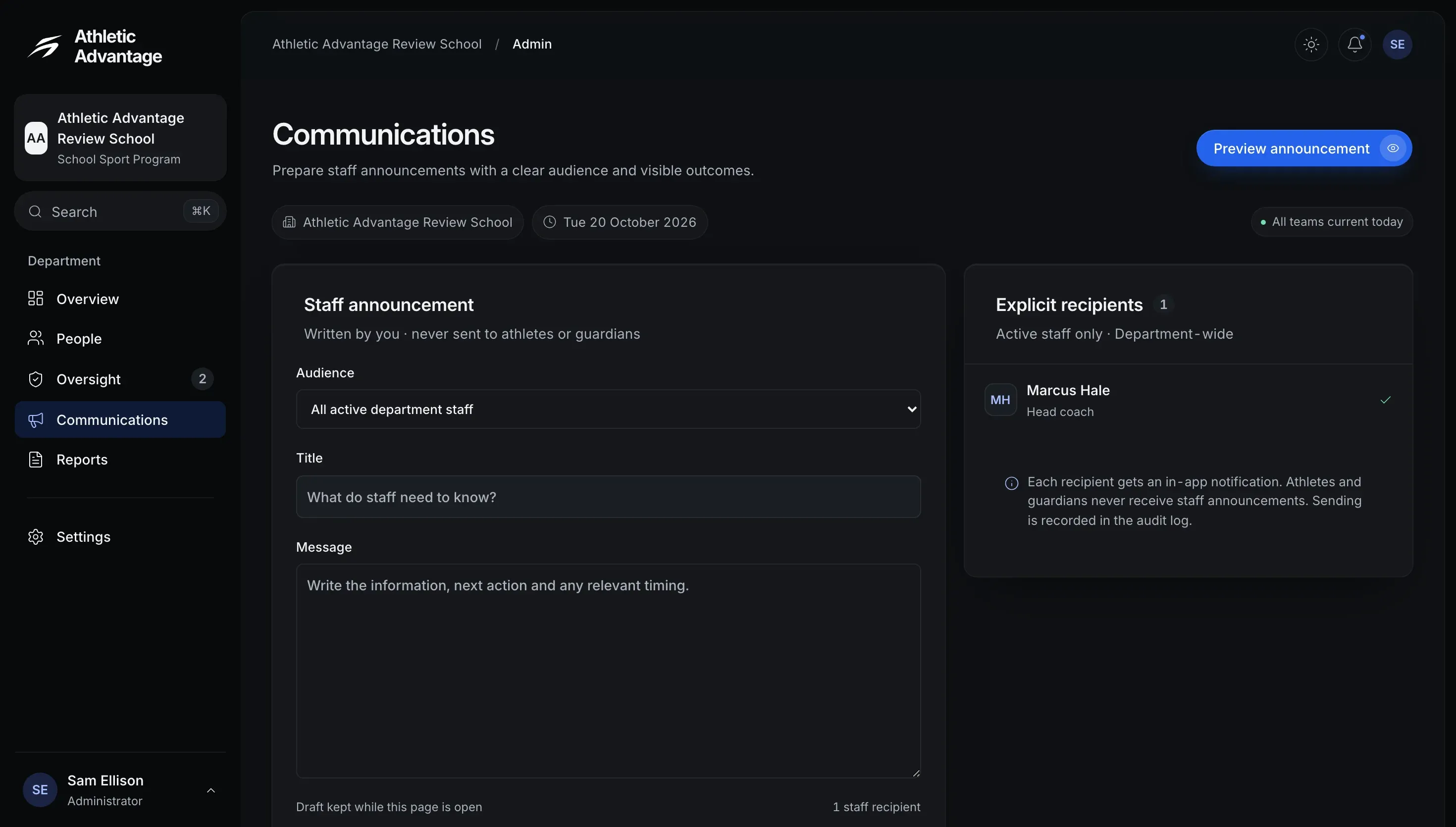
The administrator’s Communications page: a staff announcement with its audience set to all active department staff and its title and message still empty, beside 1 explicit recipient, the head coach

Written by you, never sent to athletes or guardians.

Operational records and an explicit export trail.

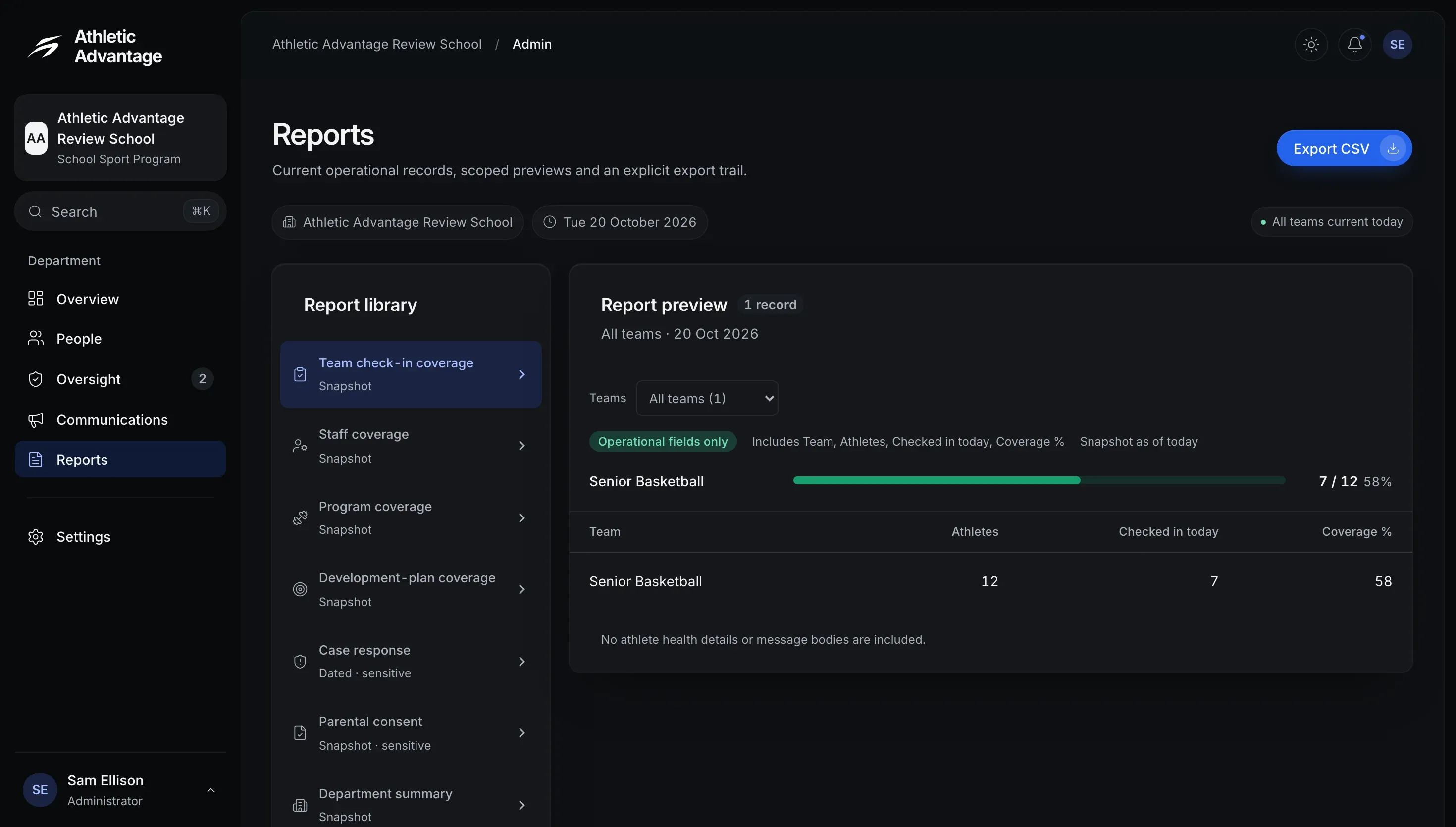
Report preview
Sample data
The administrator’s Reports page: a library of seven reports with Team check-in coverage selected, and its preview of 1 record, Senior Basketball, 12 athletes, 7 checked in today, 58% coverage, with an Export CSV button

No athlete health details or message bodies are included.

Institution, permissions and operational controls.

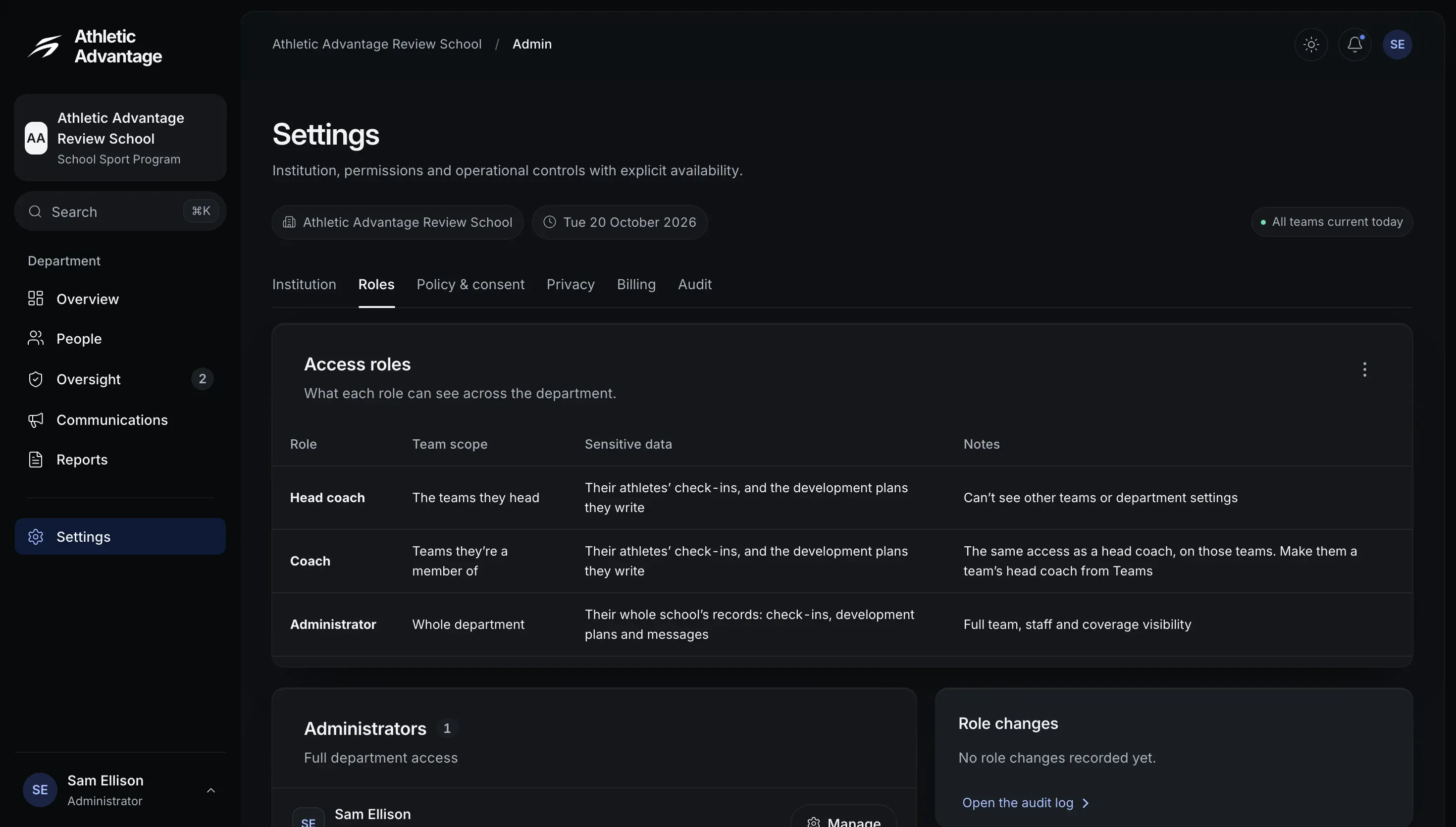
Roles
Sample data
The administrator’s Settings page, Roles tab: a table of access roles, head coach, coach and administrator, with each one’s team scope and sensitive data, 1 administrator and no role changes recorded yet

What a head coach, a coach and an administrator can see.

From a coach’s concern to a recorded outcome.

Each case closes with a reason on record.

  1. Concern

    Raised by a coach

  2. Case

    Taken on by an administrator

  3. Outcome

    Closed with a reason

Subscription and governance.

  • Billing and plan

    One subscription for the whole school.

  • Your school’s data

    Your school owns its data, under the Terms of Service.