Five quick steps.
Then get on with it.

See your recovery score. Message your coach.
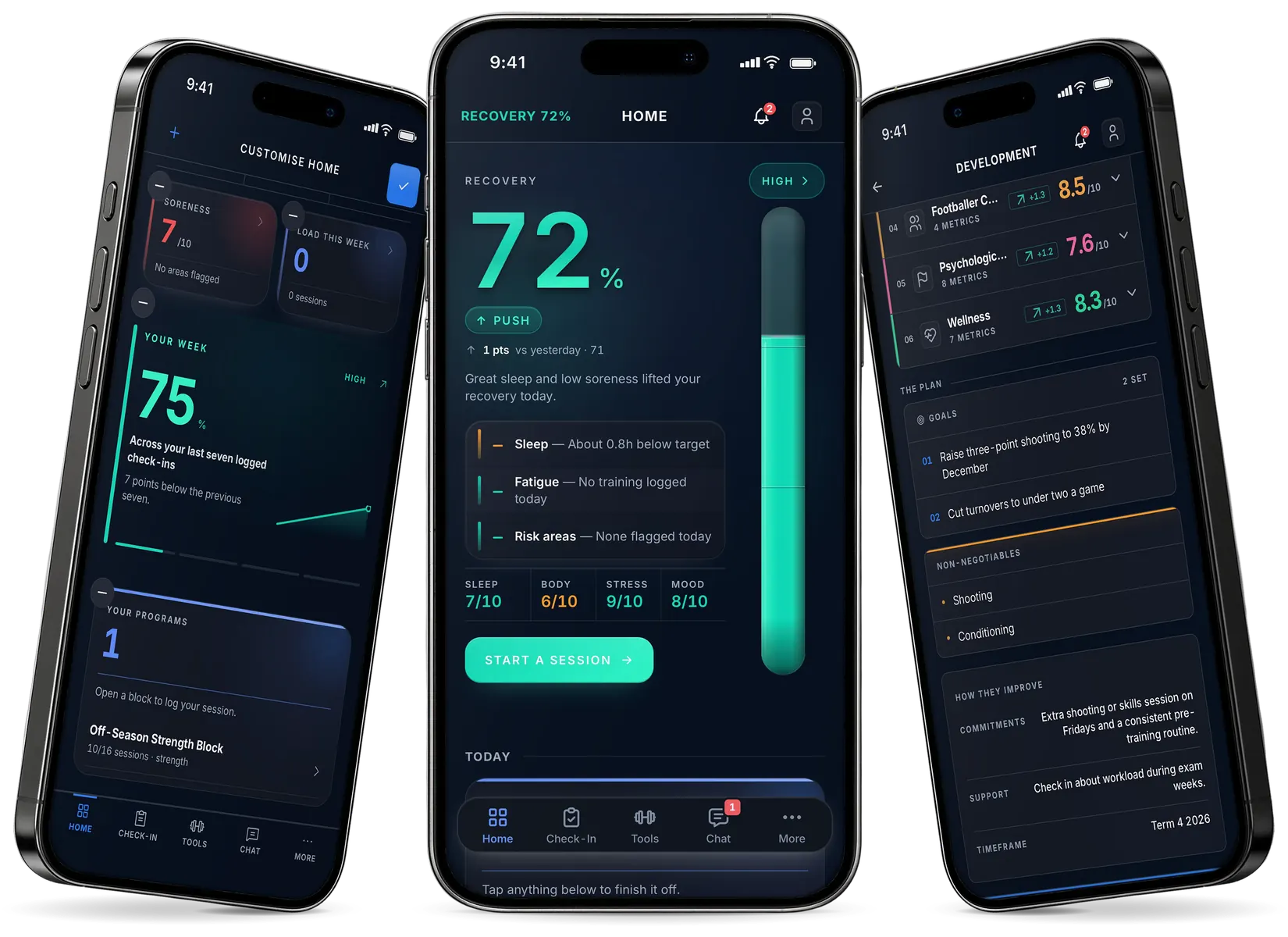
Three phones side by side, showing first, Customise Home screen: the athlete’s home cards, among them soreness 7 of 10, load this week 0 sessions, a Your Week score of 75 percent and one program; second, Athlete home: recovery 72 percent, marked push, 1 point up on yesterday; third, Development screen: performance scores by category, then the plan with goals, non-negotiables and how the athlete will improve. On a narrow screen, only the second of the three phones is shown, the Athlete home screen.

The check-in, step by step.

Check-in step 1 of 5, Sleep and Recovery: a slider from Terrible to Excellent for how well your body recovered during sleep, and a picker for how much sleep you got

Step 1

Sleep and recovery

Check-in step 2 of 5, Body Status: sliders for how energised your body feels, how fresh your legs feel and any stiffness or tightness

Step 2

Body status

Check-in step 3 of 5, Issues and Soreness: a body map to tap where you are sore

Step 3

Issues and soreness

Check-in step 4 of 5, Wellbeing: how you are feeling and how stressed your body and mind feel

Step 4

Wellbeing

Check-in step 5 of 5, Sickness: sliders for feeling sick or unwell, any cough, sore throat or congestion, and fever, chills or body aches, with a Submit Check-in button

Step 5

Sickness

What your recovery score tells you.

0 to 100%

Training you log lowers it, and recovery activities you log raise it.

How the score is worked out
Recovery screen: today's recovery 77 percent, high, with sleep, body, stress and mood scores and a seven-day trend

Your training.

  • Gym program

    Your coach assigns it. Rate each session’s effort from 1 to 10.

  • Training Log

    Team training, games and skills sessions go in the Training Log, and every session adds to your training load.

  • Recovery programs

    One your coach assigns shows under Coach assigned, beside your own.
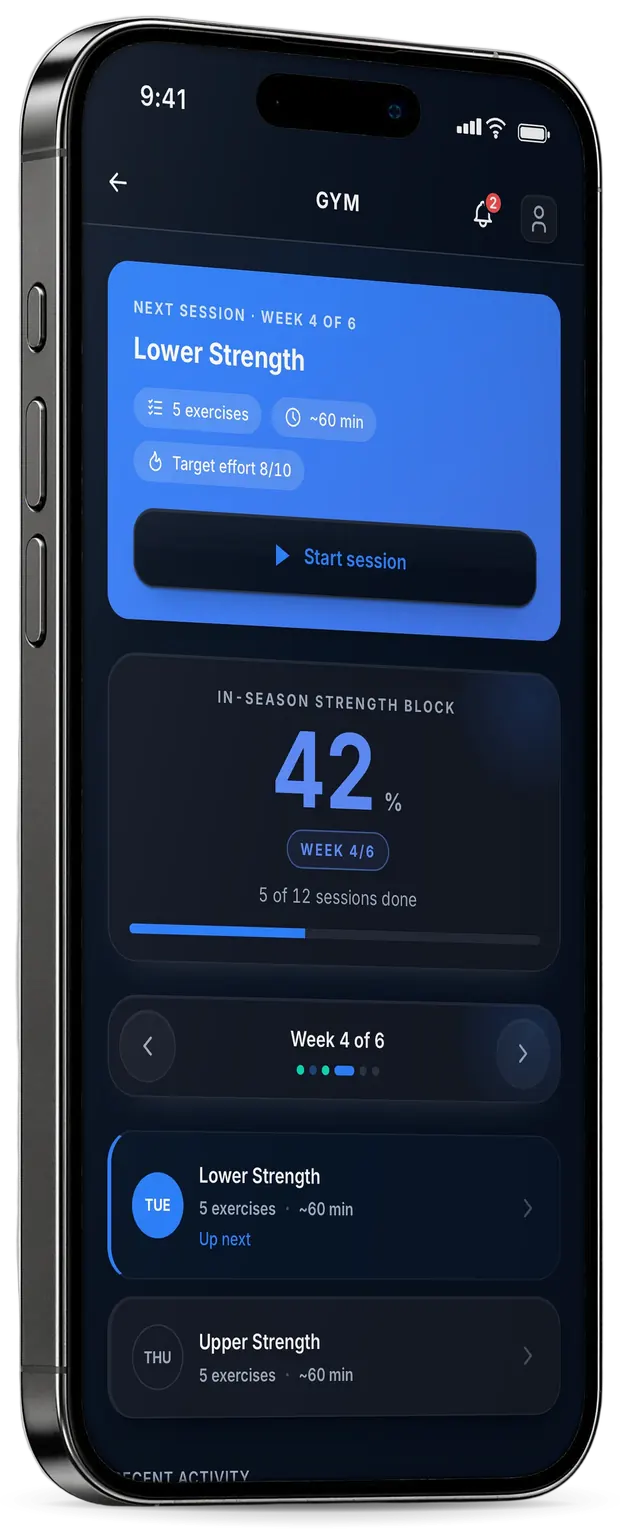
A phone showing Gym screen: next session, week 4 of 6, Lower Strength, with the in-season strength block 42 percent complete

Your development plan.

  • Six areas

    Your coach rates you in six areas, shown on one radar.

  • Your view first

    You can rate yourself before your coach publishes your plan.

  • Scores and goals

    Each area’s metrics are scored out of 10, with goals and a timeframe.
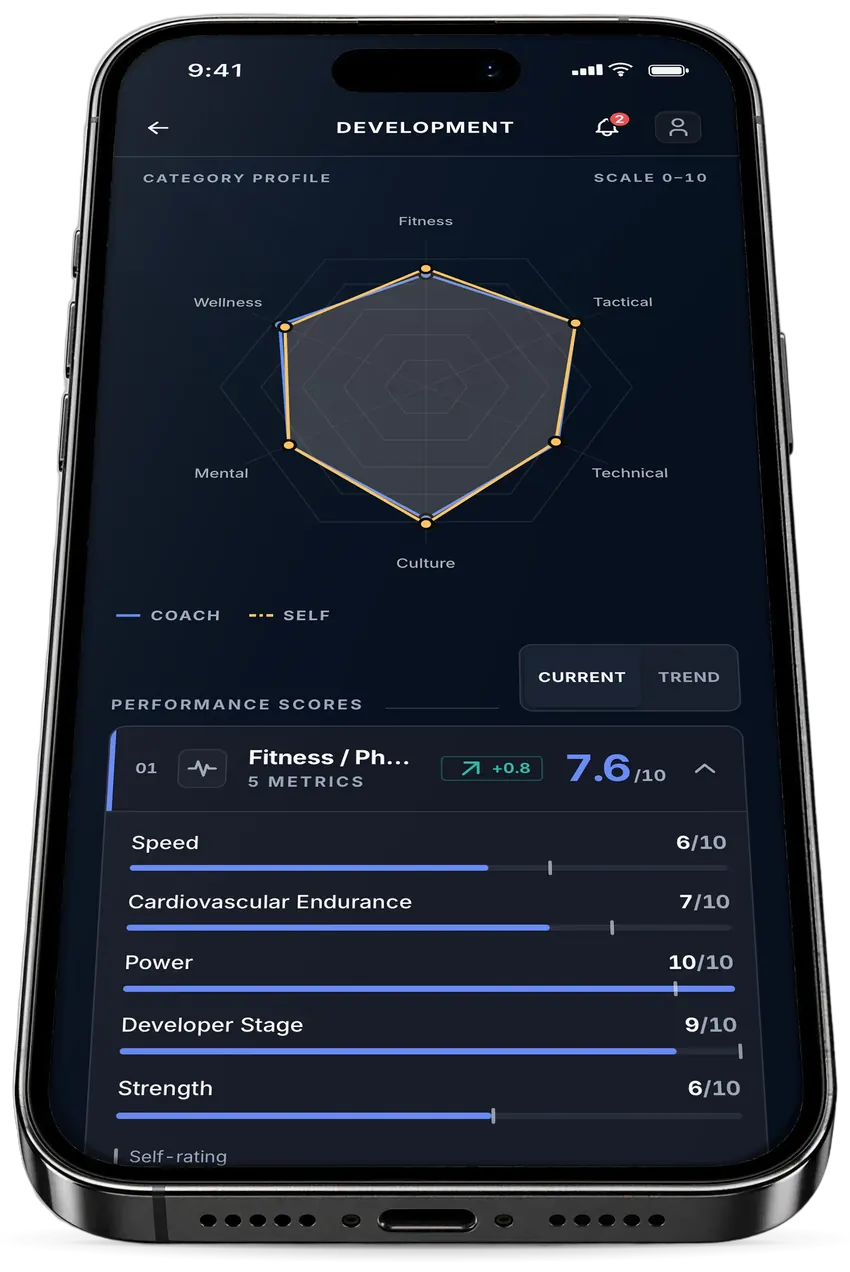
A phone showing Development screen: a six-category radar of fitness, tactical, technical, culture, mental and wellness, with the performance scores below

Team chat.

  • Your team and your coach

    Your team’s conversation, and a private one with your coach.

  • Team notices

    Your coach’s team notices show on Home.

Athlete: Messages, with a team conversation and a coach conversation

How your data is looked after.

  • Under 18? A parent or guardian consents

    The app takes no check-in until they consent. At 18 or over, you consent yourself.

  • A copy, or deletion, in the app

    In the app, More › Data & privacy downloads a copy of your data, and Delete account deletes your account.

How you join your team.

  1. Enter your school’s code

    Your school gives it to you.

  2. Enter your team’s 6-character code

    Your coach gives it to you.

  3. Create your account

    Then check in once a day.