See every
athlete’s recovery.
On every team you coach, and never on another team.
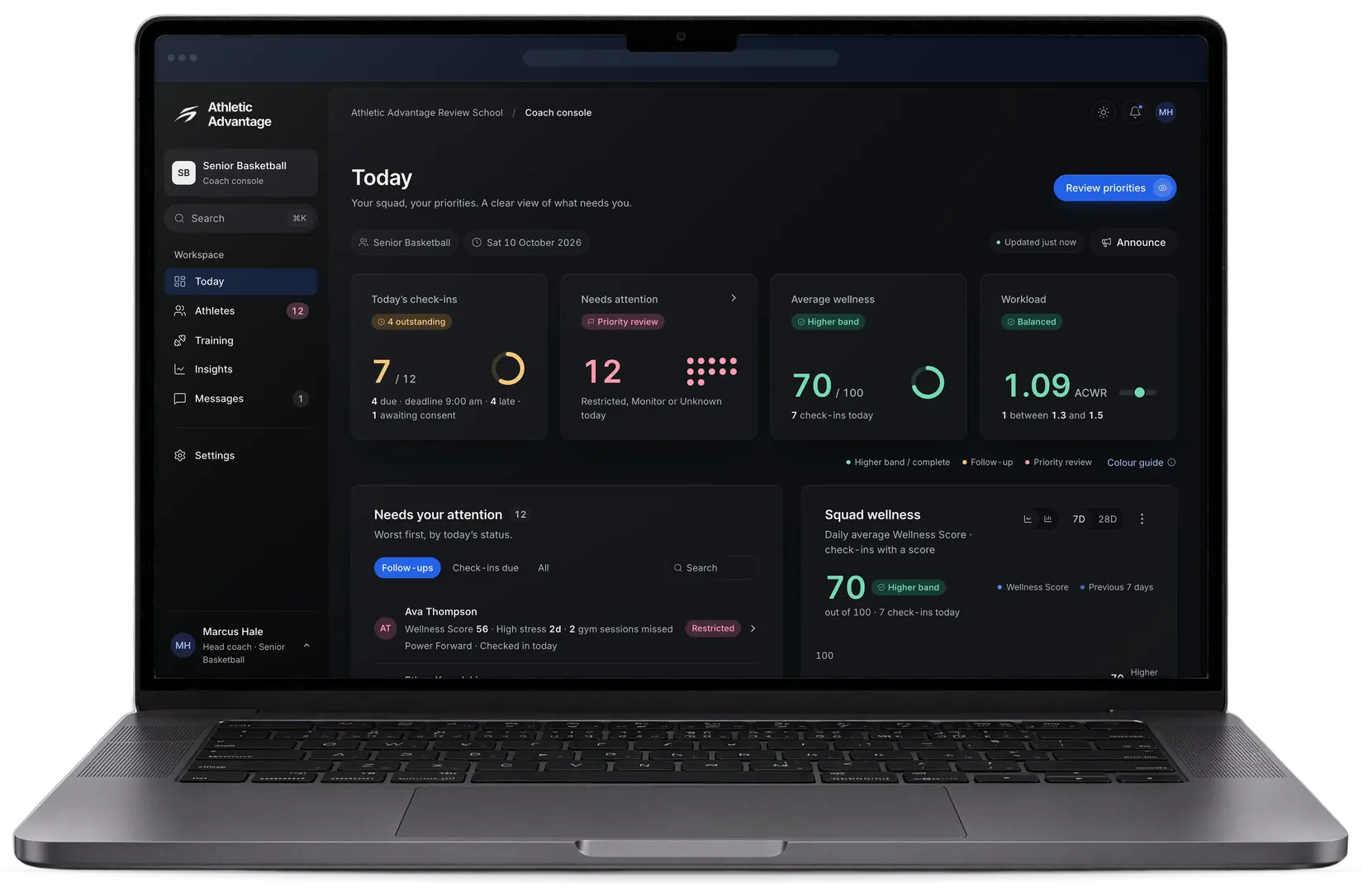
Run the squad from your phone.

Improving Up to three athletes whose recovery rose most this week.
Declining The athletes whose recovery fell most. Tap a name to open them.
Recovery Trend The team’s average recovery for each of the last seven days.
Your squad in the coach console.
Coach console
One roster. The context behind every athlete.
Roster
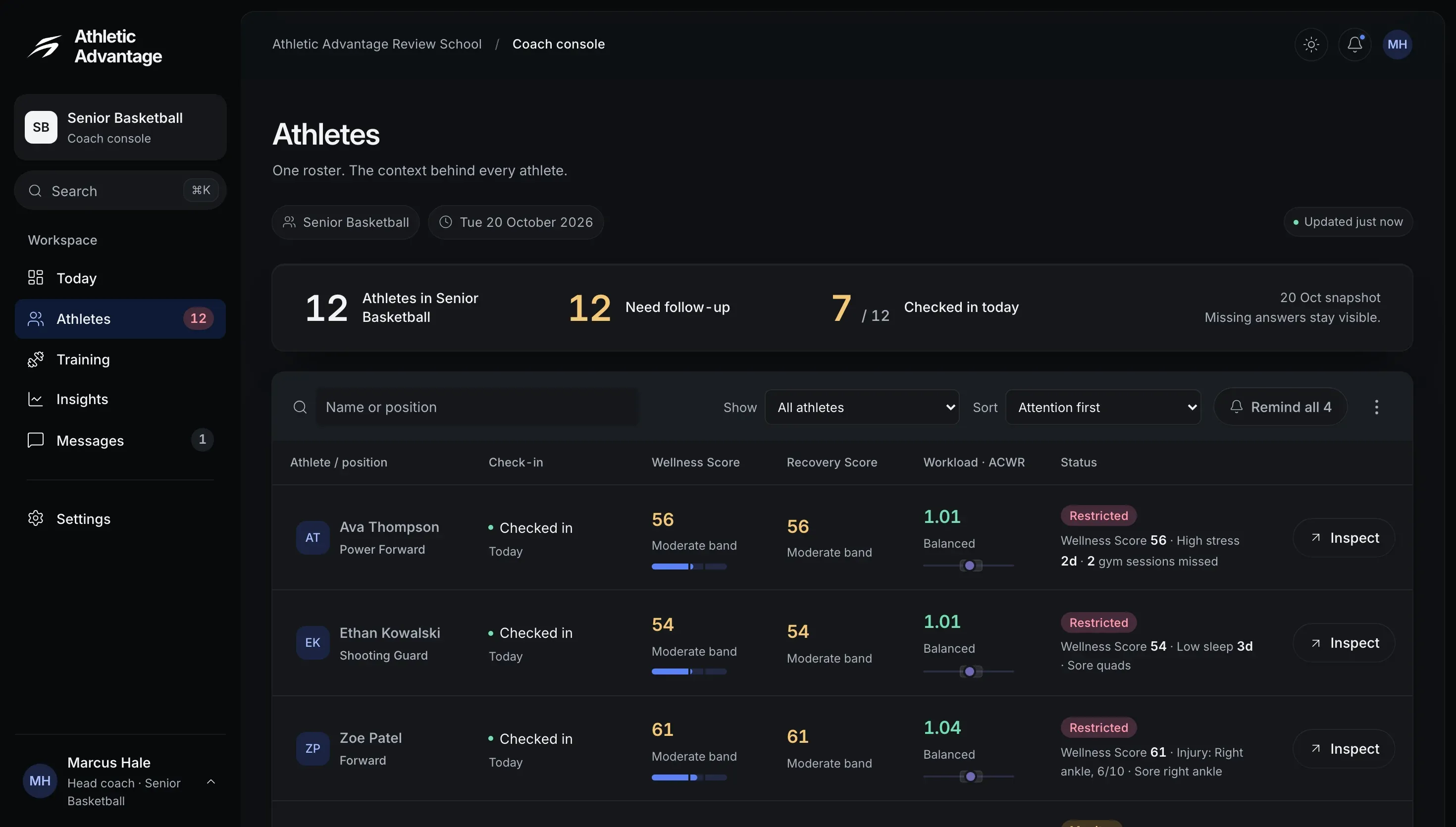
Each athlete’s check-in, scores and workload in one table.
Plan the work. Follow the response.
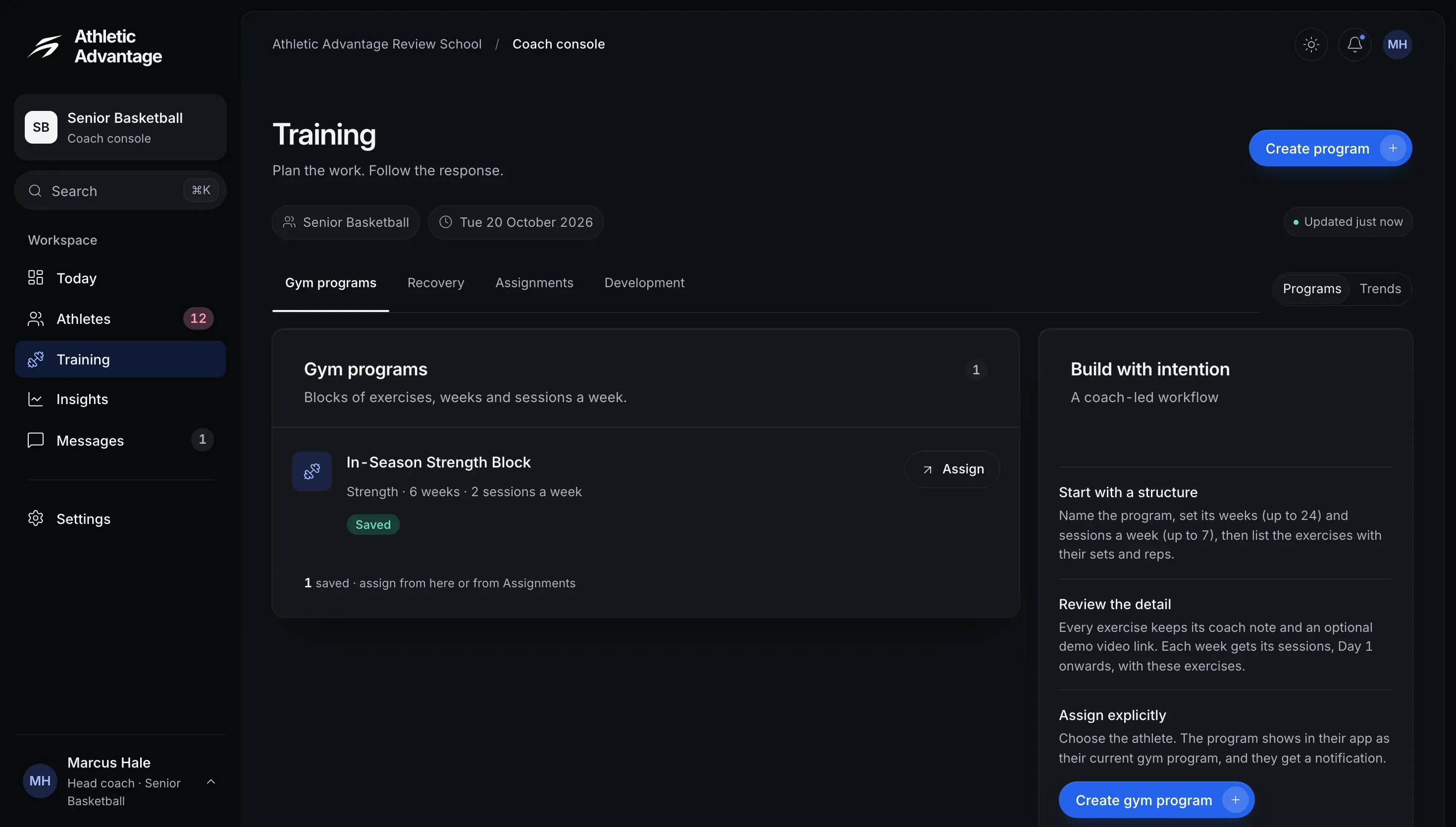
Saved programs, ready to assign.
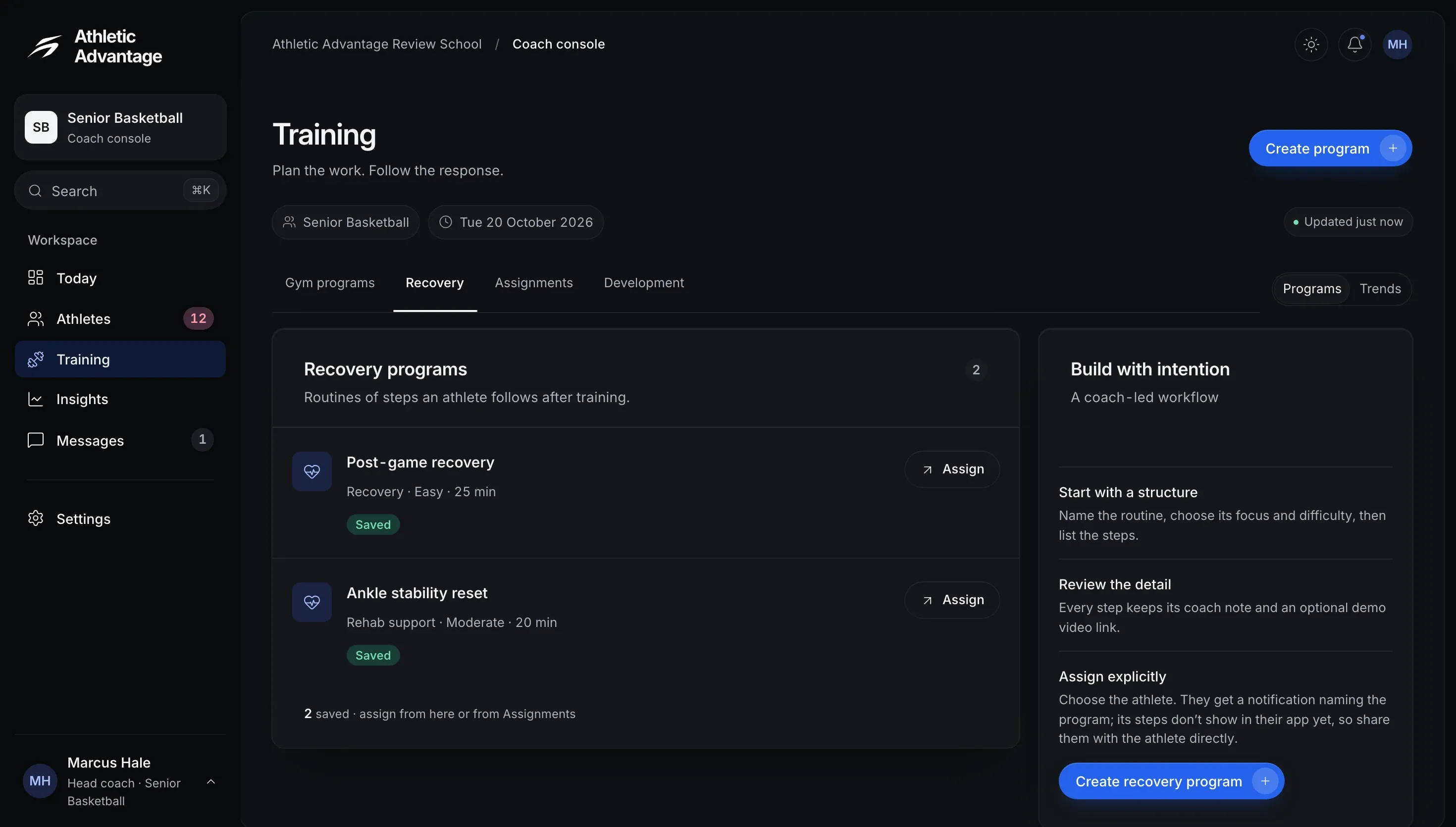
Programs for recovery, assigned the same way.
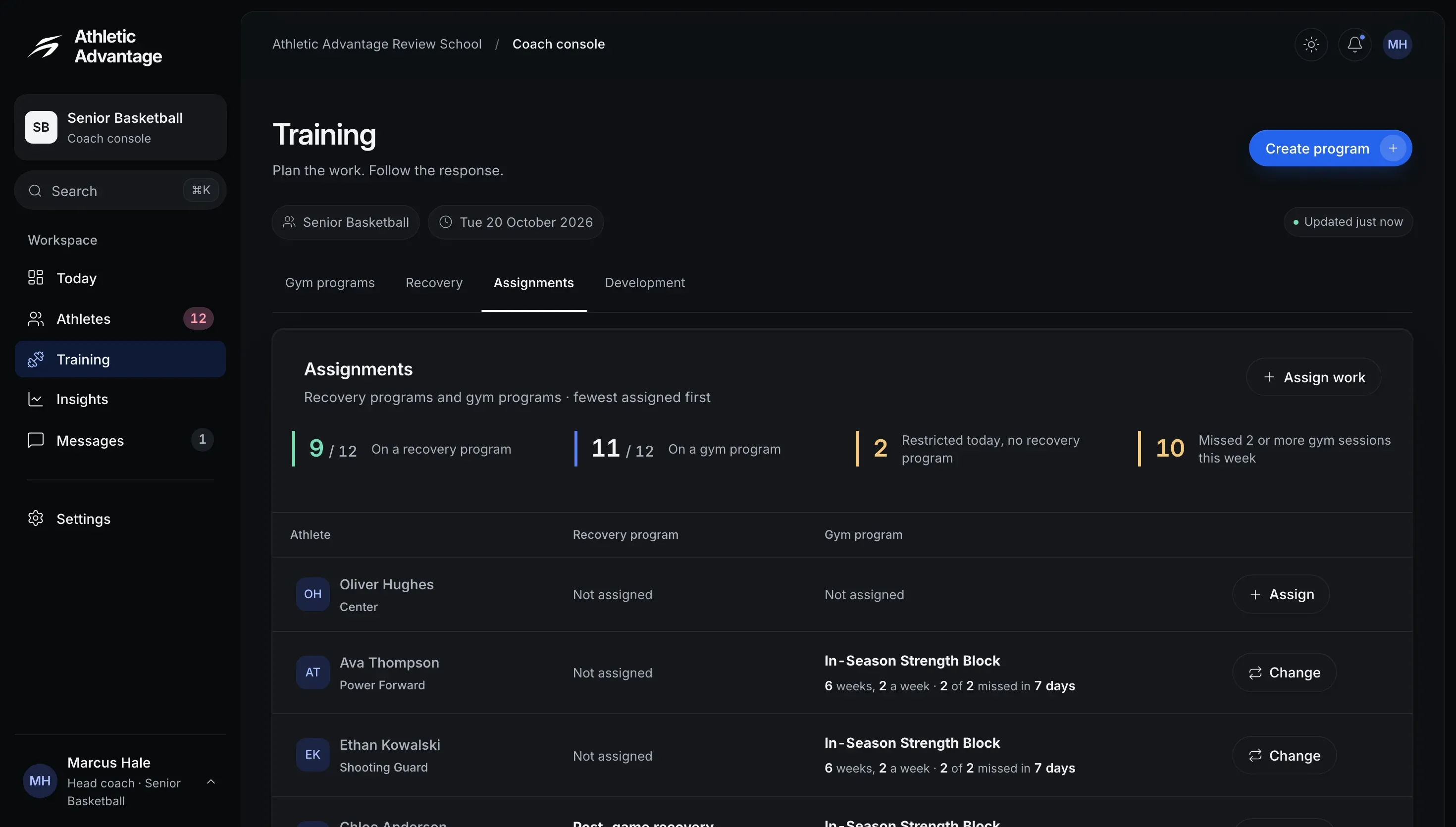
Who is on which program, at a glance.
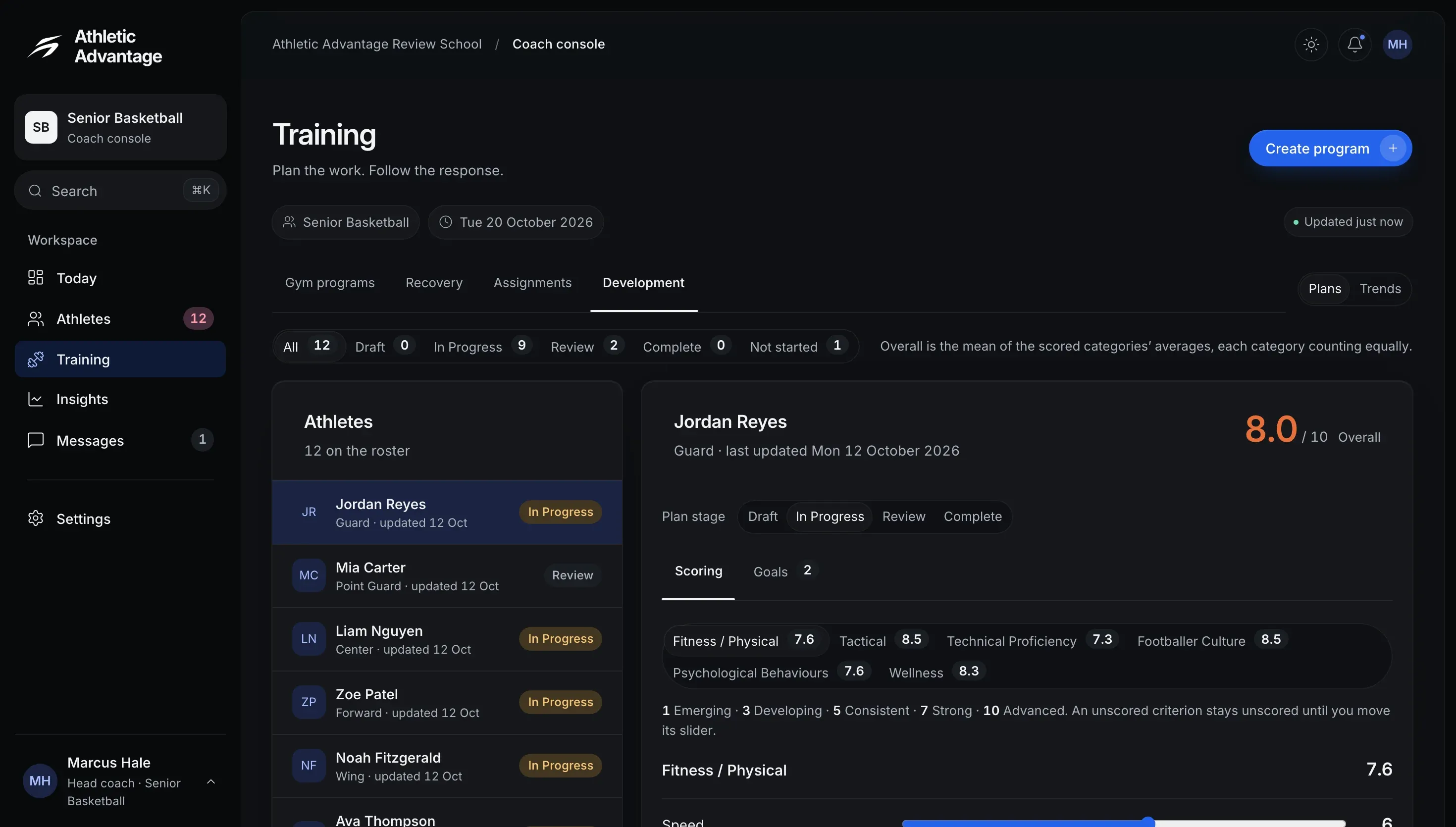
Every plan by stage, and each athlete’s ratings.
Patterns to investigate. Evidence to act on.
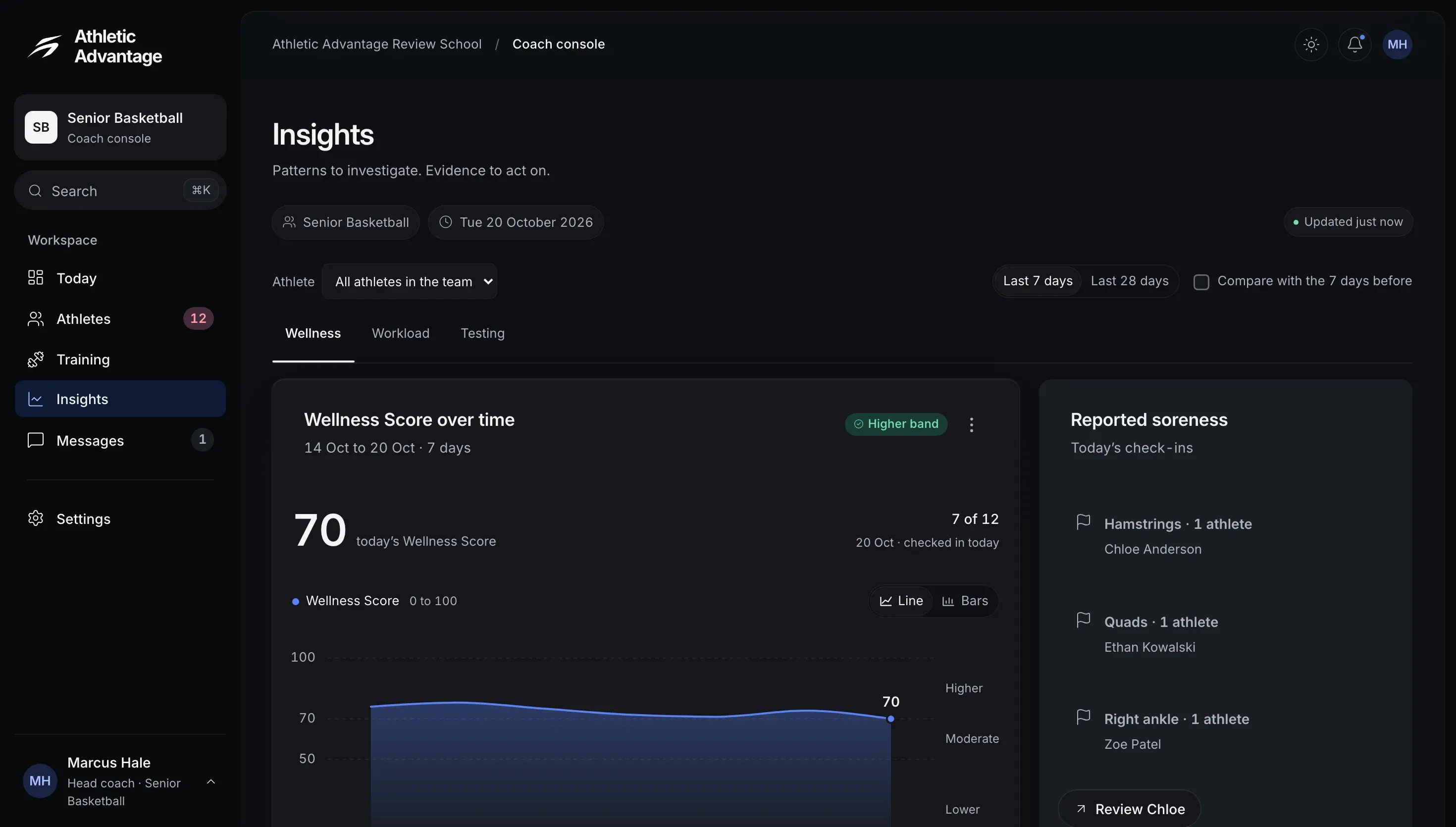
The squad’s week, and reported soreness by body area.
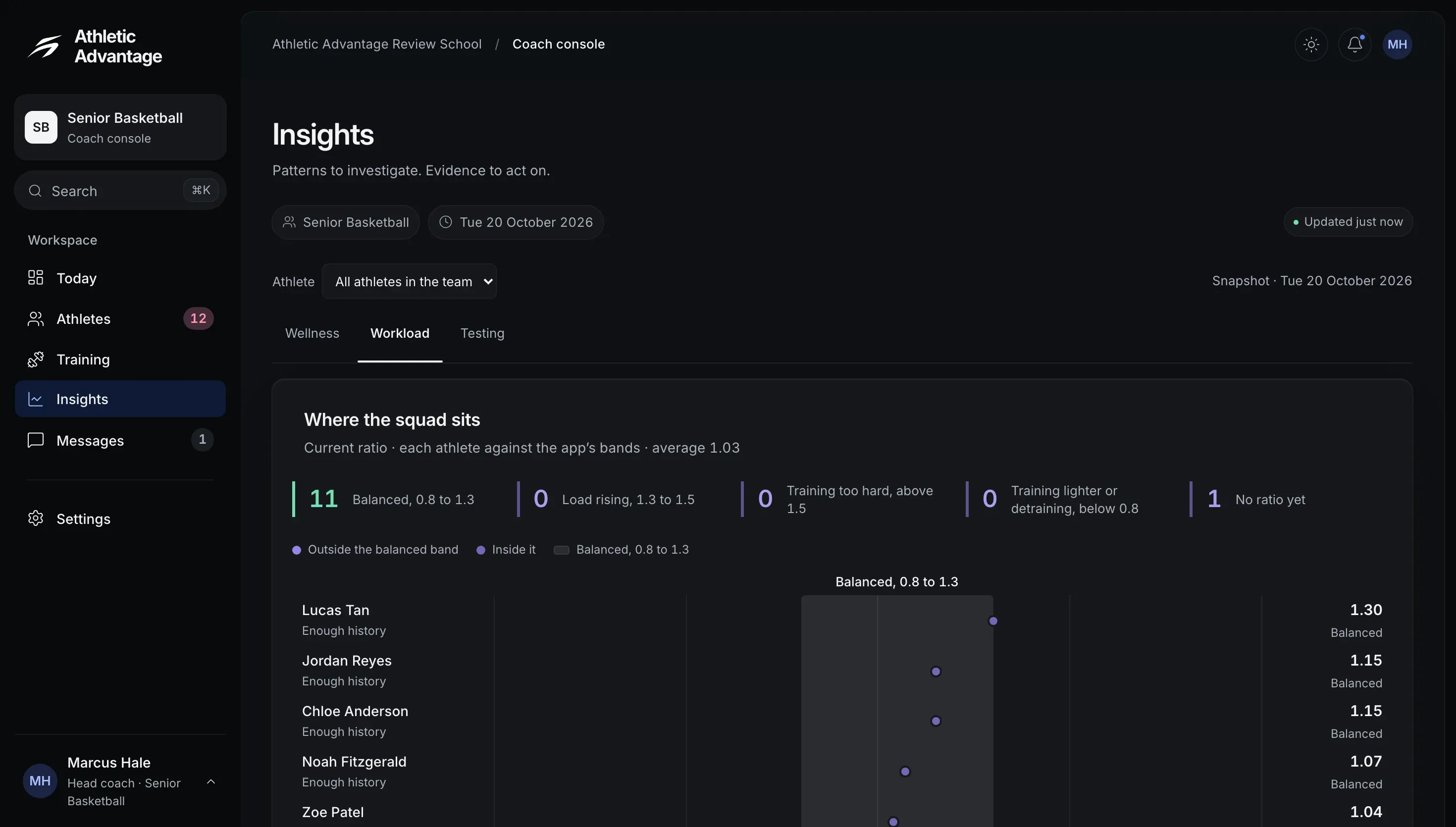
Each athlete against the balanced band.
Team conversations and athlete follow-ups.
Team channel
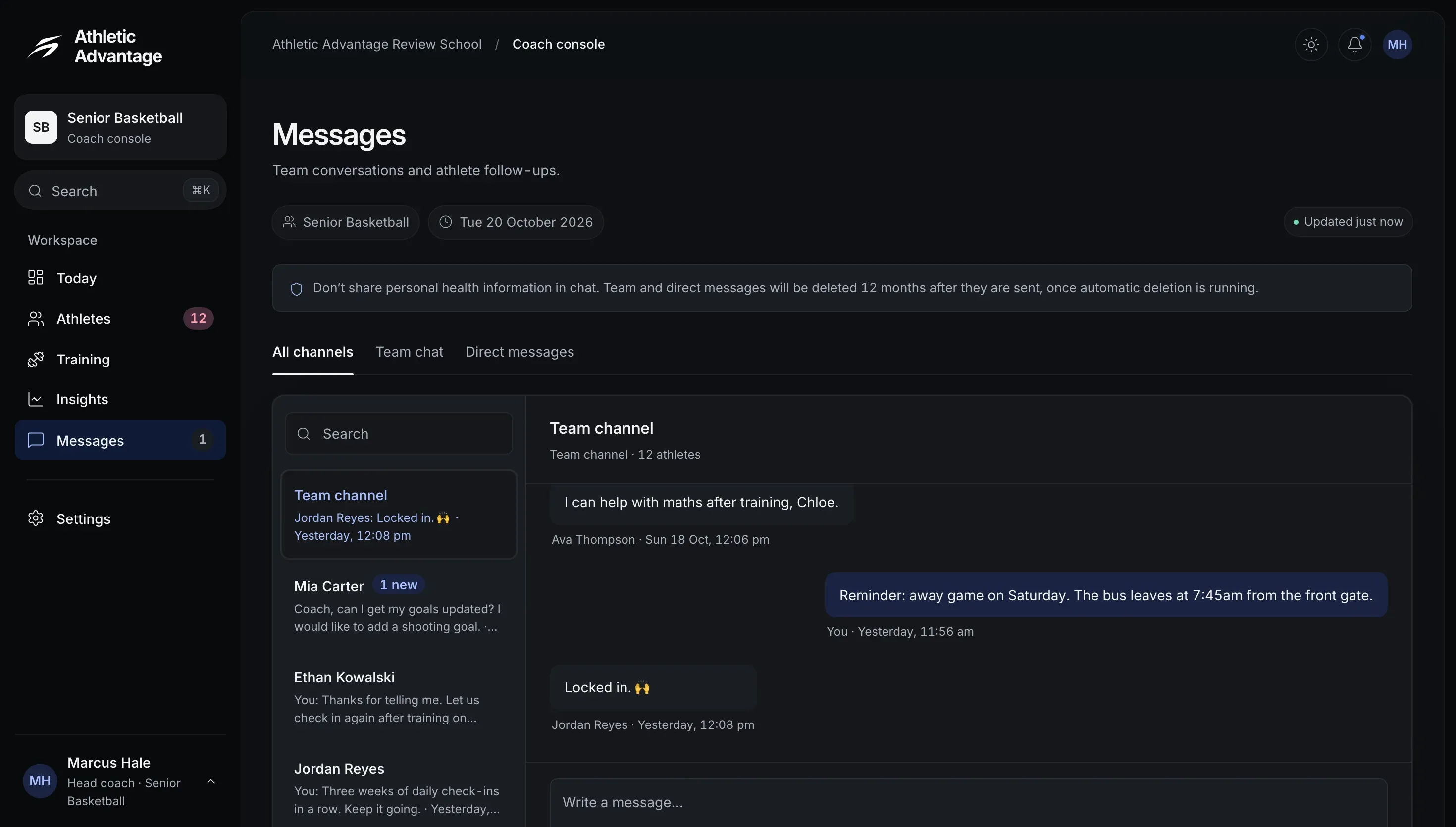
The team channel beside each athlete’s conversation.
Your day with the squad.
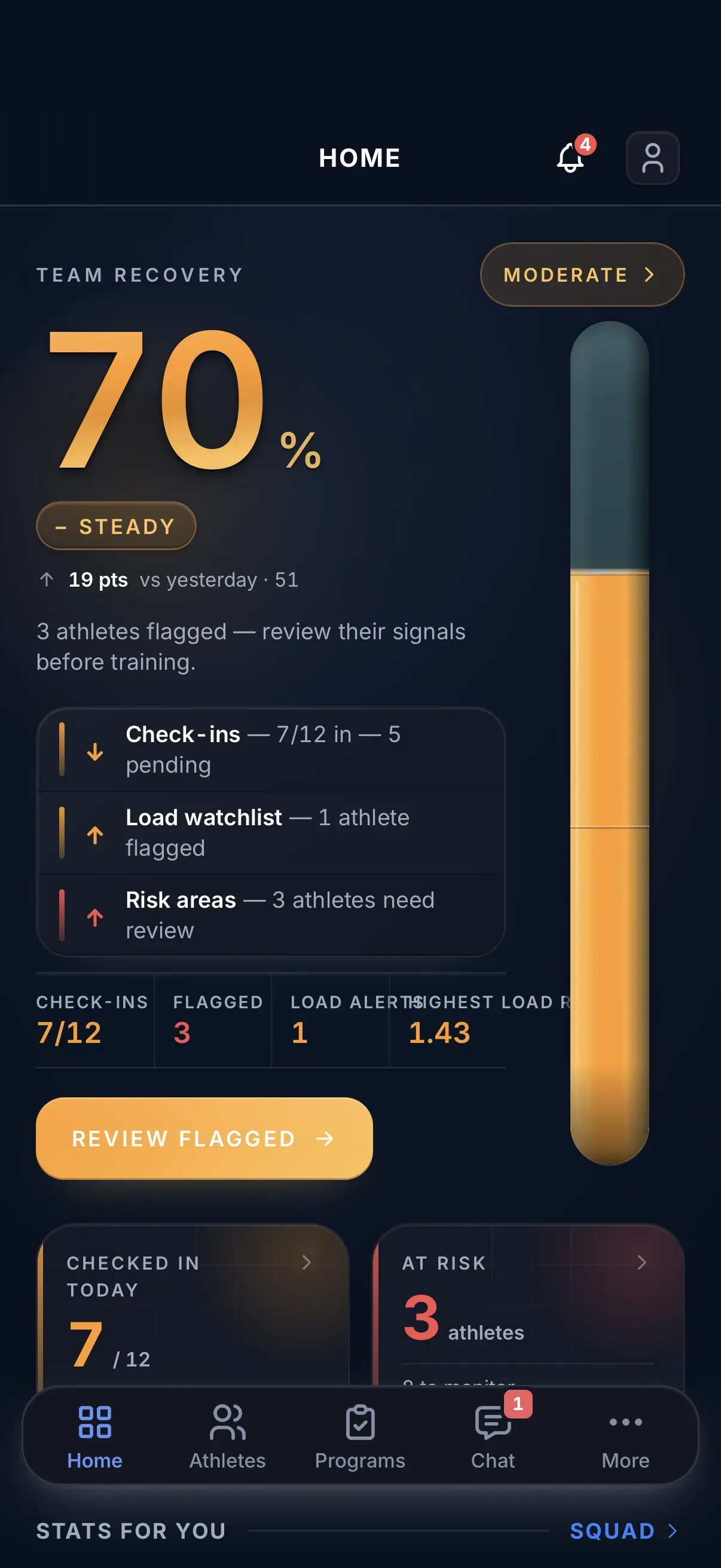
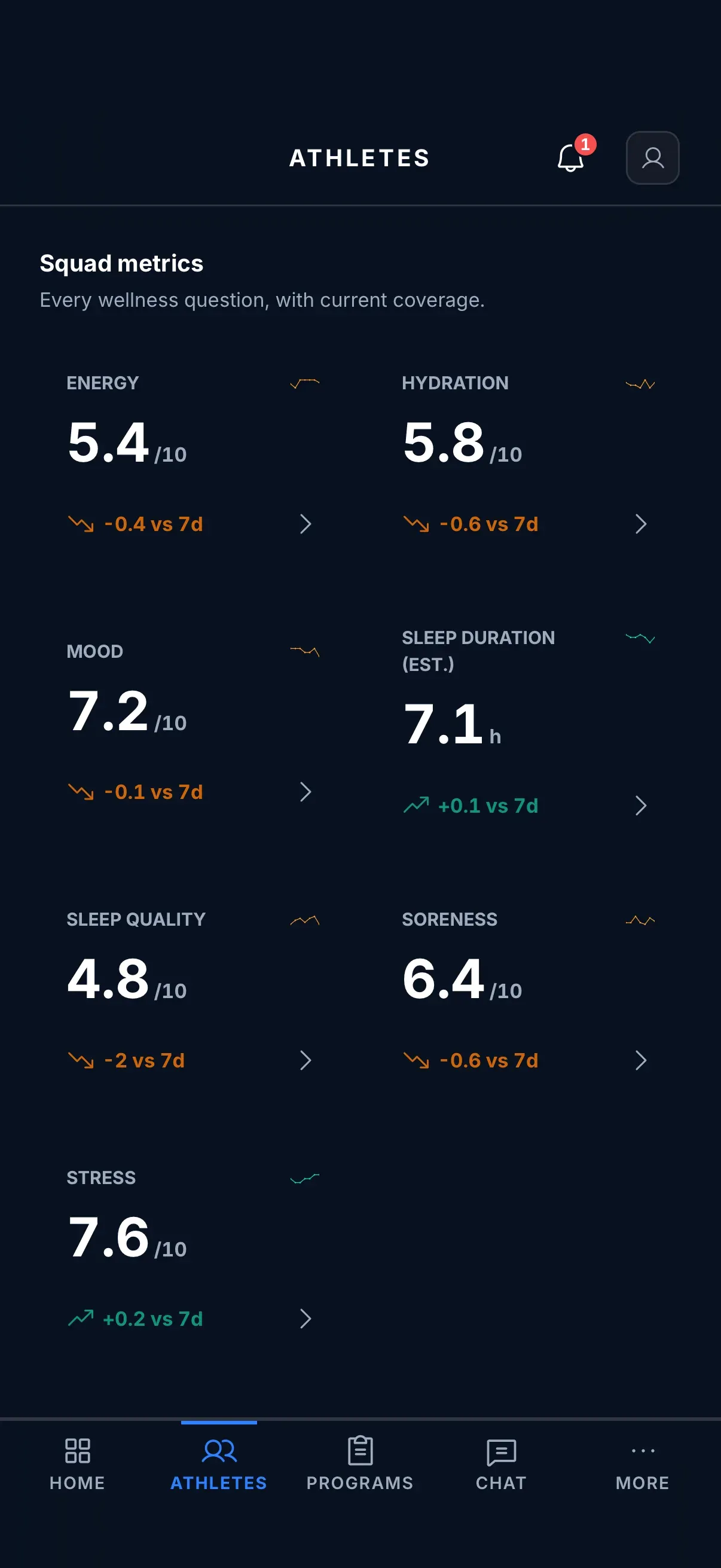
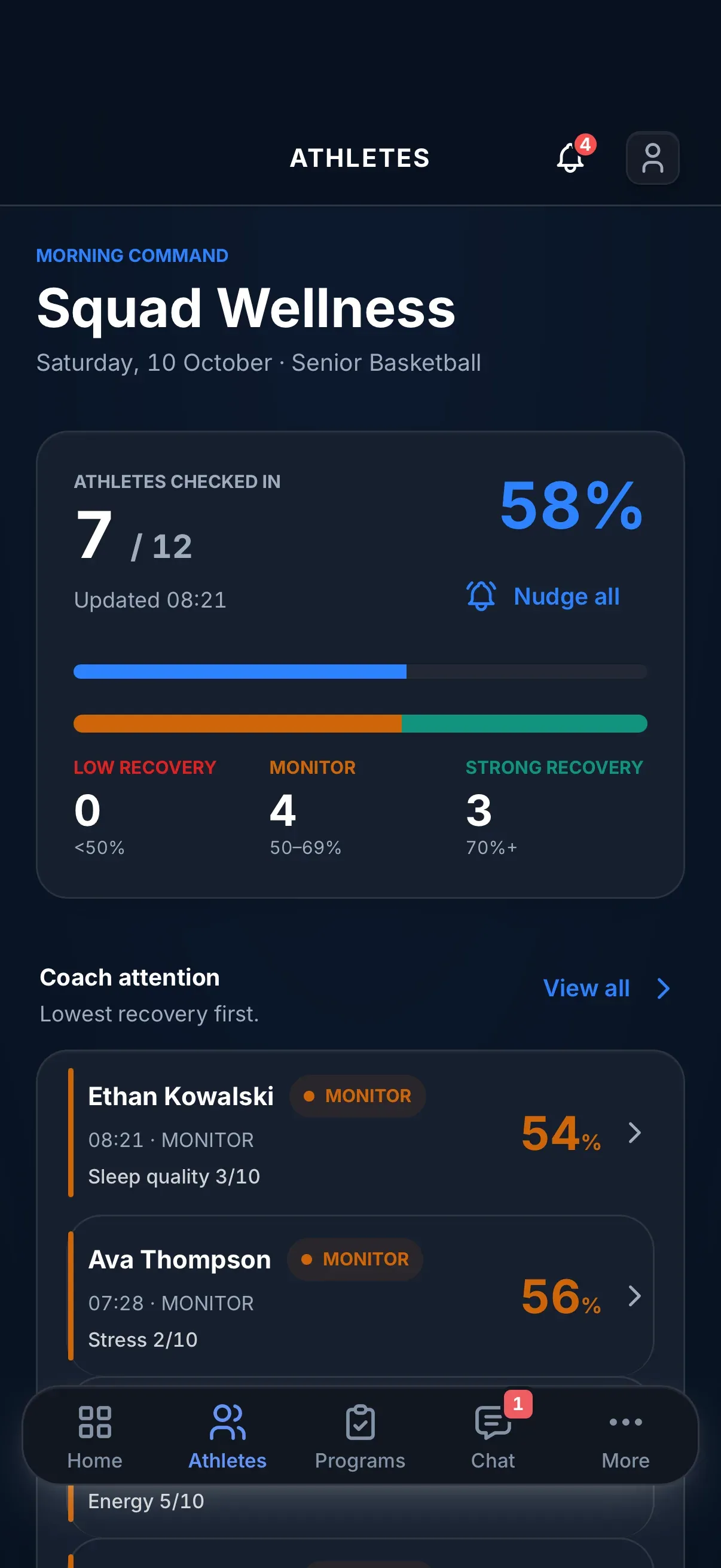

Follow up in the same app.
-
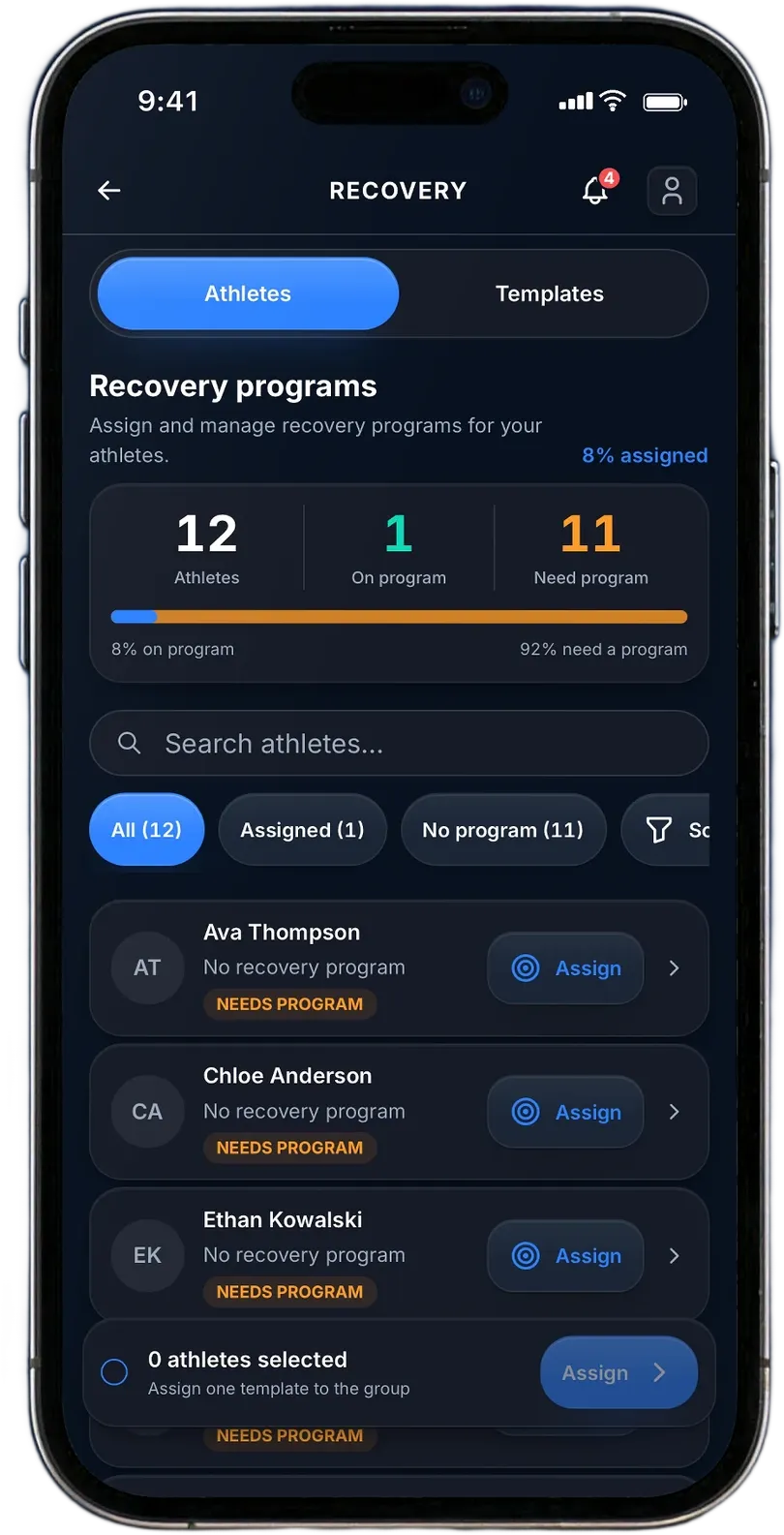
Recovery programs Starter templates or your own, assigned to one athlete or the group.
-
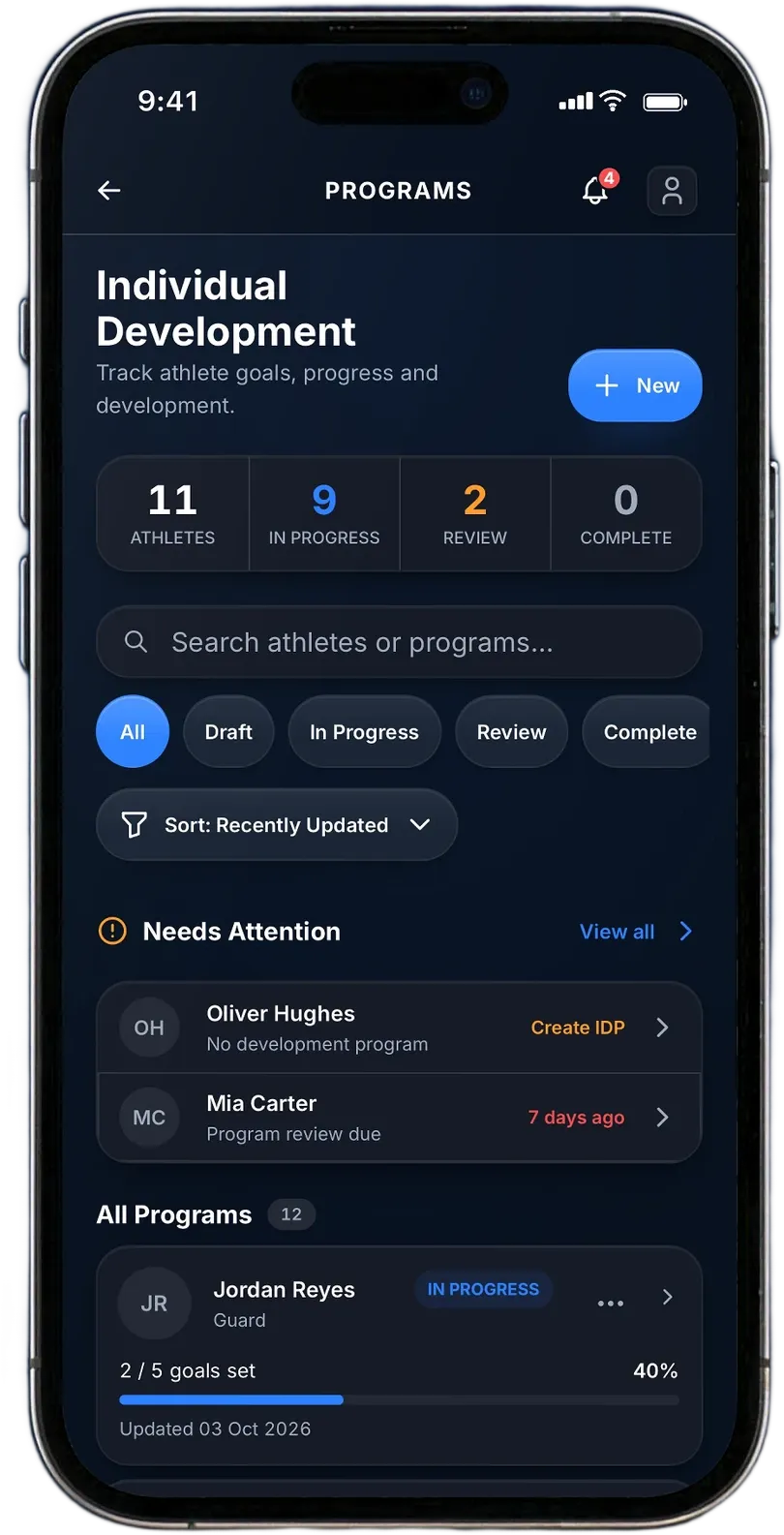
Development plans Rate each athlete across six areas. Athletes can rate themselves, too.
-
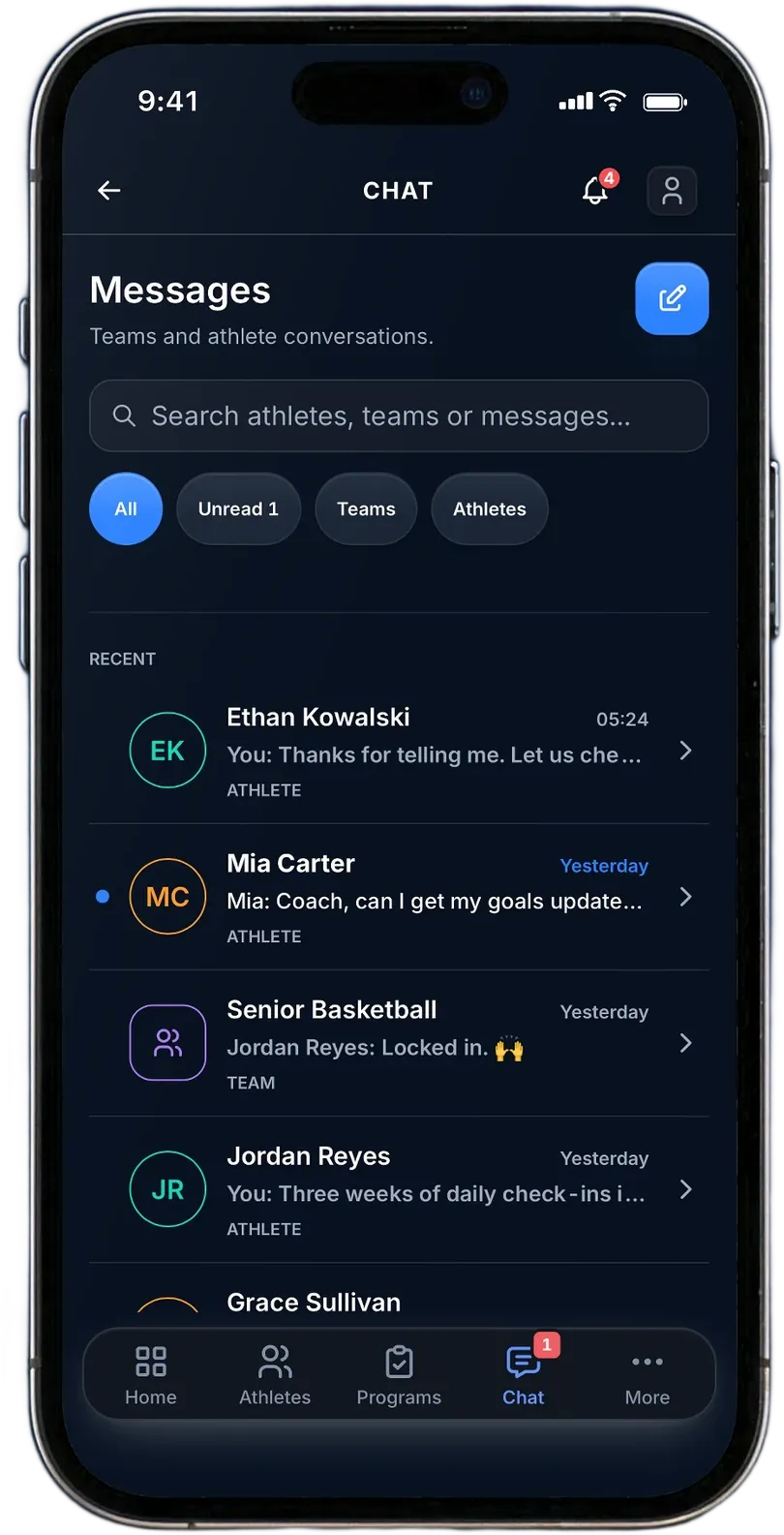
Team chat Team notices and private conversations.


Programs, on top of the daily read.
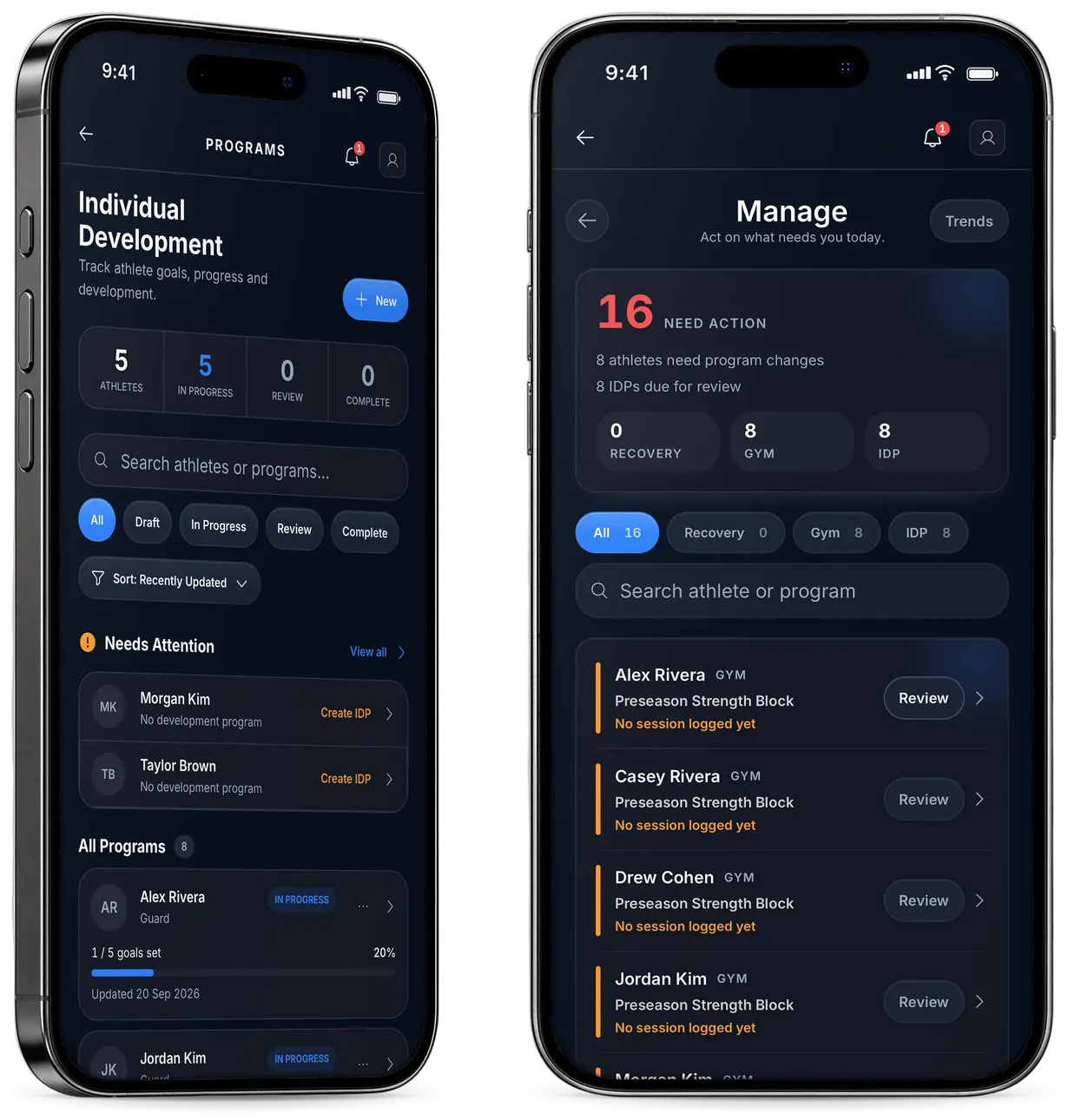
Build, assign and review Recovery, Gym and IDP programs in their own Programs area.
Manage counts what needs action.
When an athlete needs a conversation.
-
Wellbeing Review
Surfaces check-in patterns worth a conversation.
-
Follow-up
One athlete’s Wellness Score, Recovery Score and workload ratio, with their last 14 days.
-
A private note
-
Escalate
It opens a case for your school administrator, who takes it from there.
Sleep’s dipped. You alright?
Flat. Exams, late sessions.
Thanks. Talk after training?