Skip to content

For Athletes

A daily check-in that takes under 20 seconds.

Answer a short set of questions before practice and get an instant recovery score, a recovery program built for how you actually feel, and a development plan you help write. This is the app, from your side.

Join your team Your coach gives you a 6-character join code
01

Your Dashboard

Open the app. See exactly what to do today.

Your home screen leads with one number — your recovery score — then tells you what it means for today. No digging, no guessing. Today’s Focus, a short plan, and a note from your coach are the first thing you see.

  • A recovery score front and center. A percentage from 0–100%, color-coded, with your status — Post-Game, In Season — right beside it.
  • Today’s Focus, decided for you. Active Recovery, Rest, or full intensity — set by how you scored, not by guesswork.
  • A checklist you can finish. Wellness check-in, foam rolling, mobility, log your session — each with a time estimate so nothing feels open-ended.
  • Your coach, in your pocket. A Coach Insight card surfaces the one thing they’d tell you if they had a second this morning.
athlete dashboard — real app screen
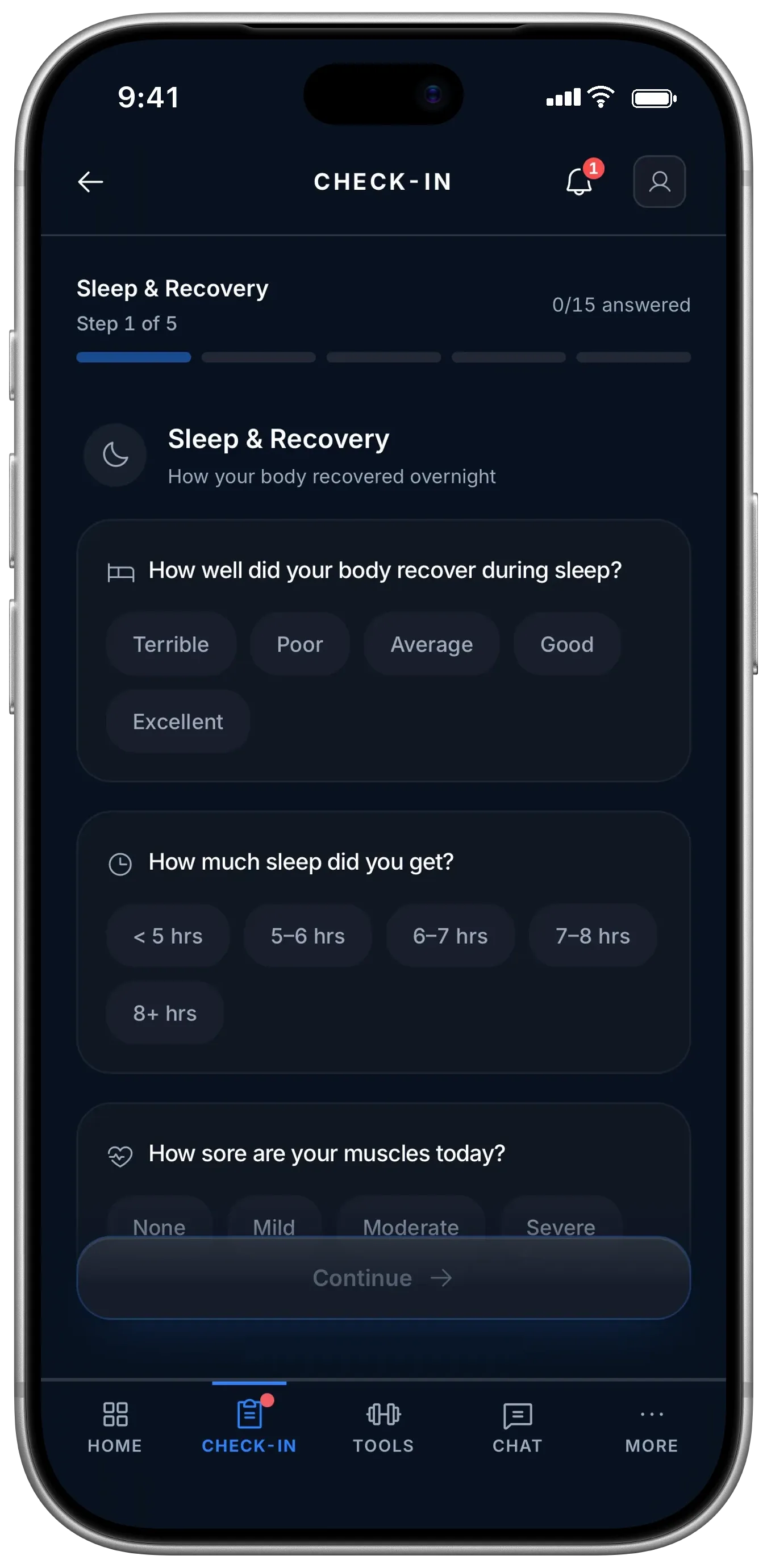
athlete checkin, step 1 of 5 — real app screen
02

The Check-In

Four steps. One thumb.

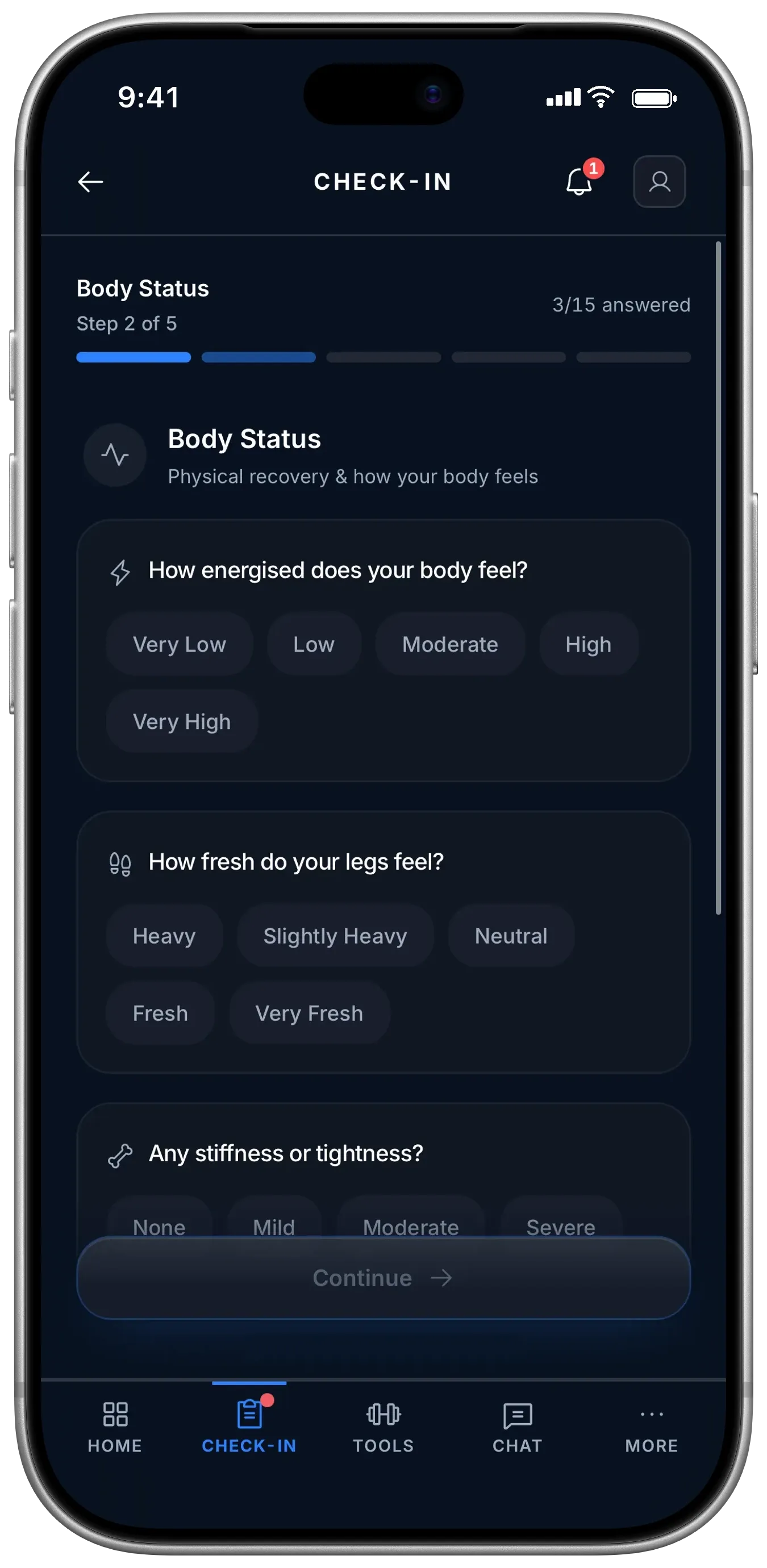
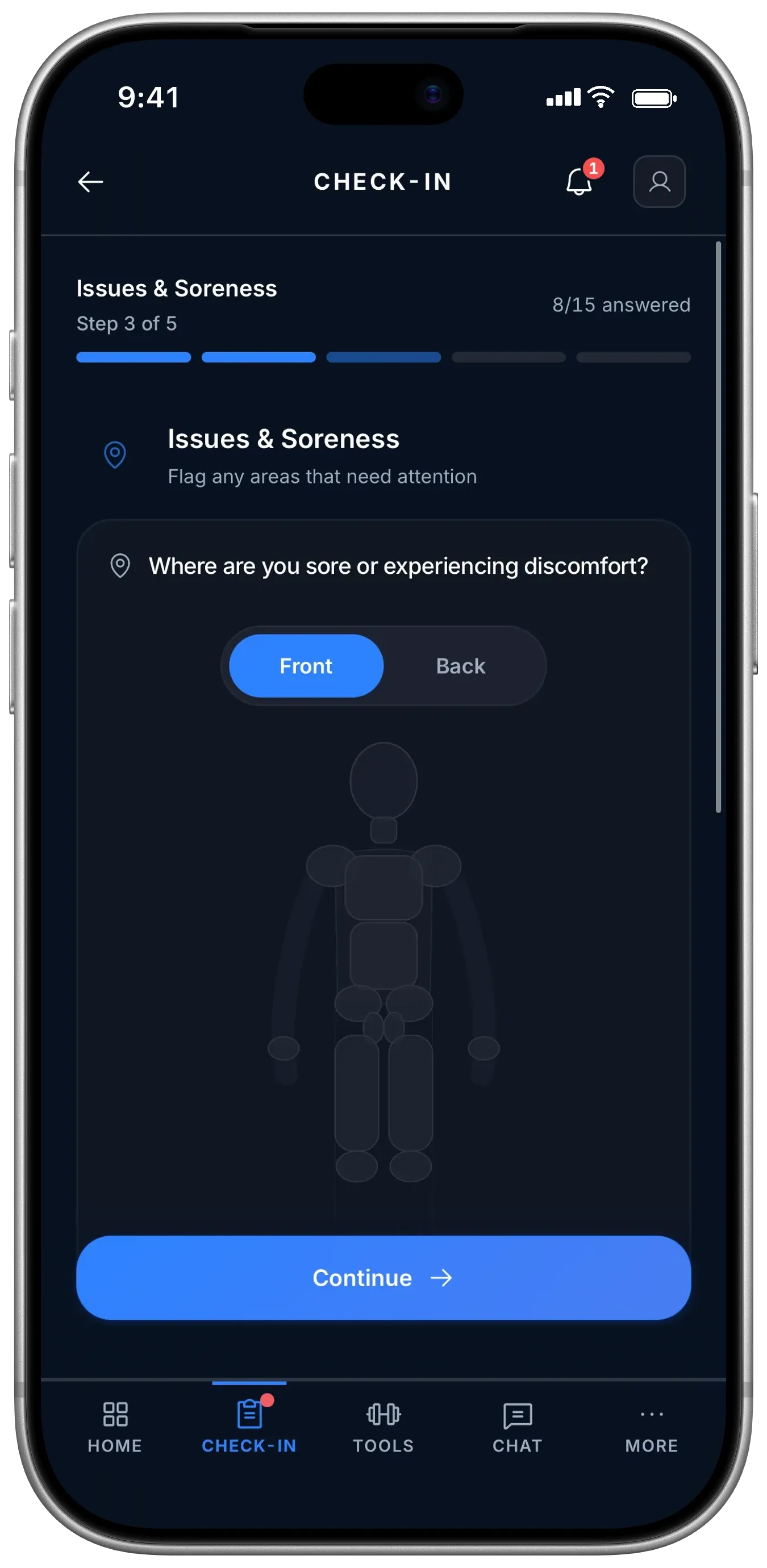
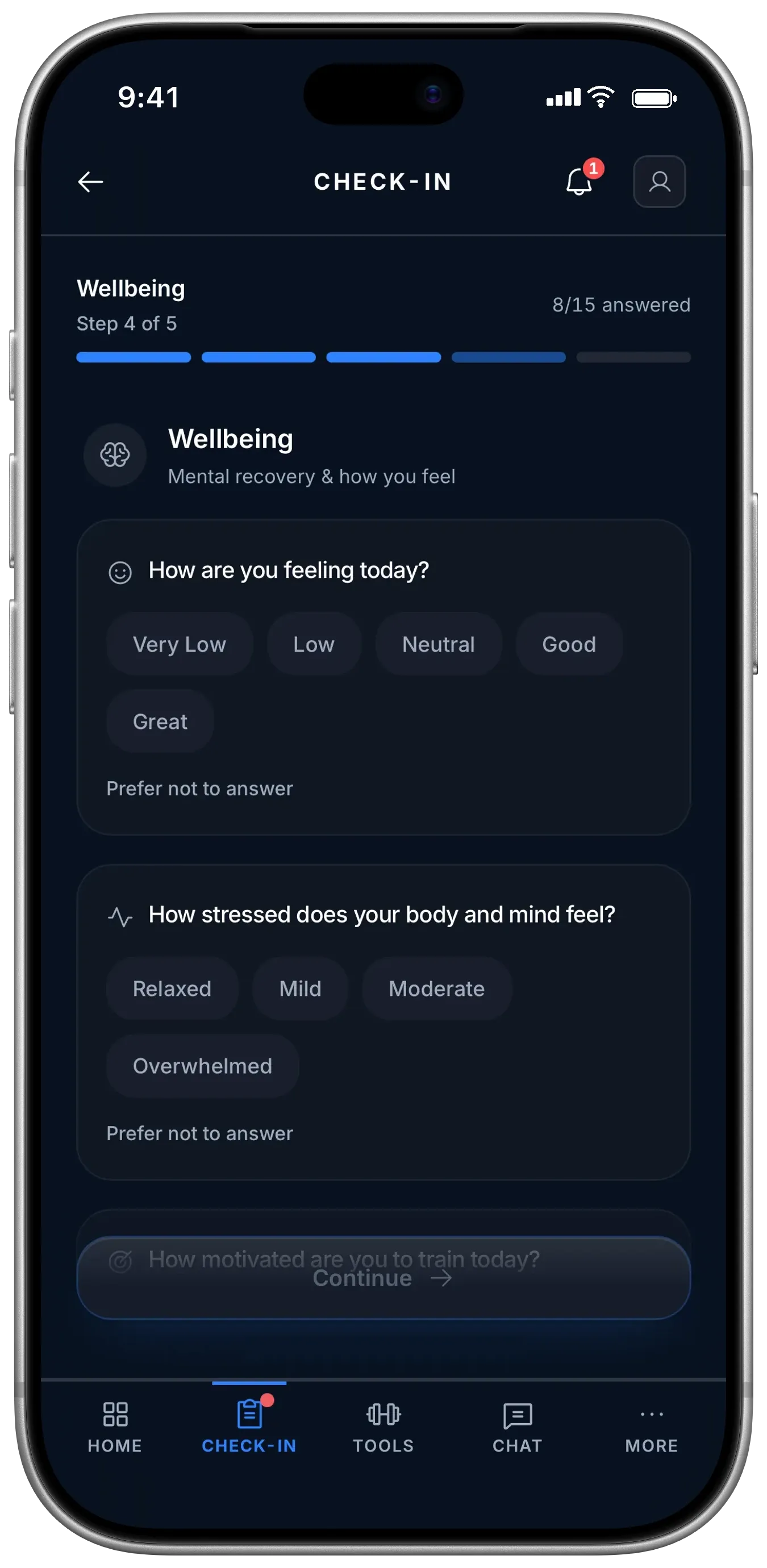
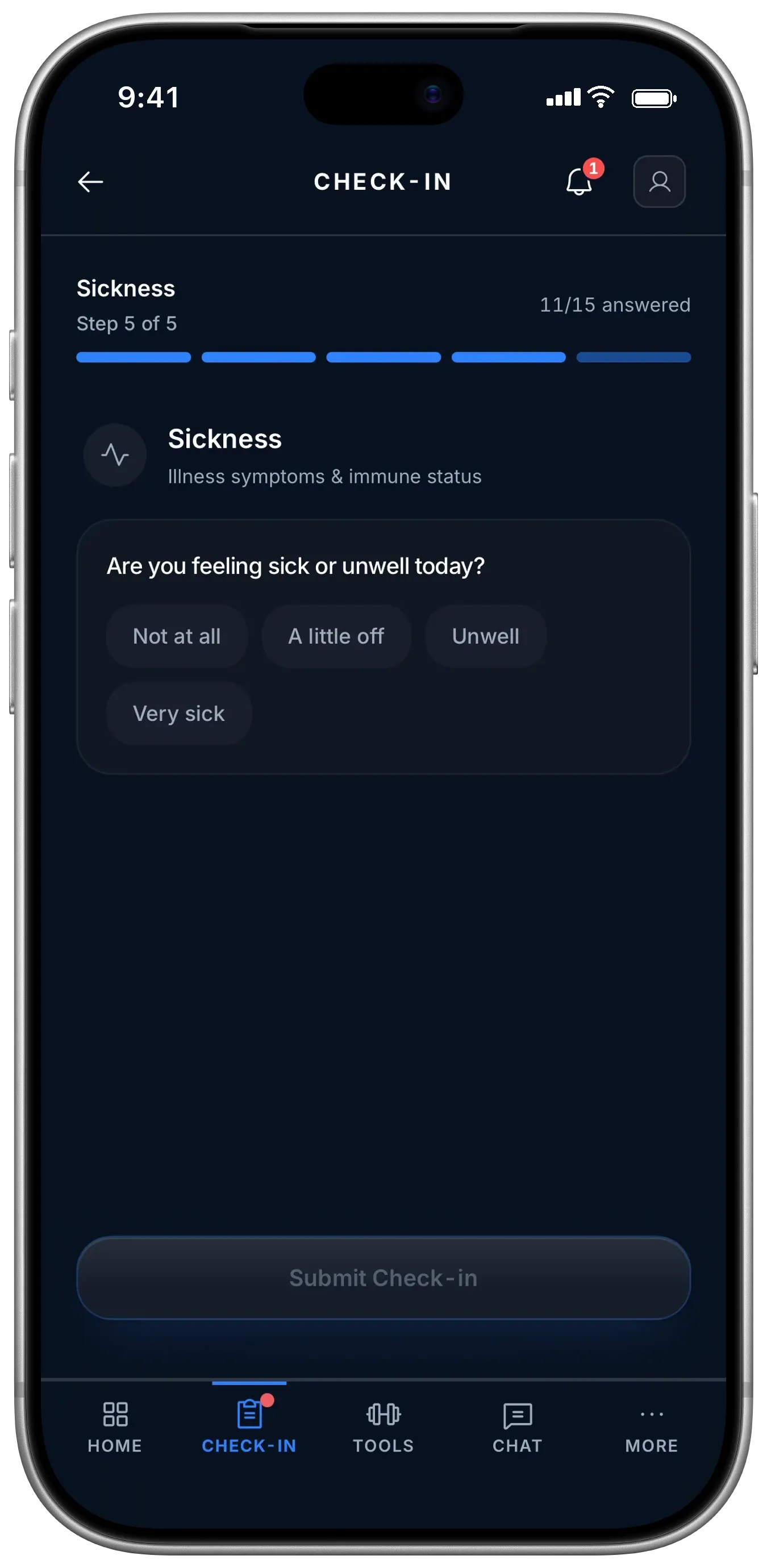
The whole check-in is pill-tap selectors — no typing, no sliders to fuss with. Finish before the bus arrives, hit submit, and your recovery score is there instantly. No waiting on a coach to "see" it.

1
Sleep & Recovery

How well your body recovered, hours slept, and muscle soreness — the baseline for the day.

2
Energy & Hydration

How energized you feel and how well hydrated you are, physically and mentally.

3
Body & Soreness Map

Tap the body map to flag exactly where you’re sore. Your coach sees where the team is carrying load.

4
Wellbeing → Instant Score

Mood, stress, anything off. Submit and your recovery percentage appears immediately.

03

Recovery Programs

Recovery built for how you actually feel.

You don’t get a generic stretching PDF. You get a program shaped by your sport, your soreness map, the gear you have, and the difficulty you’re ready for — built in four steps: Goal → Sport & Soreness → Tools → Difficulty. Every exercise comes with a demo video, so you always know what the move should look like.

  • An active program to follow. Your coach can assign a multi-day plan like the Weekly Recovery Plan — Post Match, Advanced — and you just hit Continue Program.
  • Quick Recovery when you’re short on time. A 15–30 min session targeted at whatever’s sore or tight. Fits in a free period.
  • 8–12 exercises, a video on every one. No wondering whether you’re doing it right.
  • Rebuild it anytime. Re-run the engine to get a fresh custom program when your body changes.
athlete recovery — real app screen

Every program is built in 4 steps

01

Goal

Post-match recovery, general mobility, or maintenance. Sets the strategy.

02

Sport & Soreness

Your sport’s muscle priorities plus your tap-to-mark soreness map.

03

Tools

Foam roller, bands, massage ball, or nothing. Programs adapt to what you have.

04

Difficulty

Matched to where you’re at. The output is an 8–12 exercise plan with a demo video per move.

Log a session
Team Training Game Recovery Gym Skills
Recent activity
Team Training
Wed · 90 min
RPE 7
Game
Sat · 75 min
RPE 9
Recovery
Sun · 25 min
RPE 2
5
Sessions
312
Minutes
50m
Recovery
Your ACWR
1.1 · Balanced
00.81.52.0

A workload-planning guide, not an injury prediction or medical assessment.

04

Training Log

Log it in a minute. See your load build.

Tap the kind of session, set your duration and how hard it felt (RPE — Rate of Perceived Exertion), and you’re done. Every session rolls into your workload ratio, so you and your coach can see when you’re ramping up fast and worth a closer look.

  • Five quick-log chips. Team Training, Game, Recovery, Gym, Skills — log any session from any of your teams.
  • A real load number. Training Drain = Duration × RPE ÷ 20 per session, rolled up across 7- and 28-day windows.
  • Your ACWR gauge. Stay in the 0.8–1.5 balanced range. Outside it, you get a flag to review — and so does your coach, at the same time.
  • This-week summary. Sessions, minutes, and recovery time, so you can spot a heavy stretch coming.
05

Your Development Plan

Rate yourself. See where you and your coach differ.

You self-assess across six development domains on a /10 scale, your coach scores the same ones, and both views land on a single radar. The gap between the two lines is exactly where your next conversation — and your five goals — start.

  • Six development domains. Fitness/Physical, Tactical, Technical, Footballer Culture, Psychological, Wellness.
  • Your profile. Age, position, clubs, highest rep, games last year — the context behind the scores.
  • Sensitive athlete information. Injury history and health conditions, visible only to authorized staff.
  • 5 goals you can track. Each moves through Draft → In Progress → Review → Complete.
Fitness Tactical Technical Culture Psych Wellness Coach Self
Profile
Age
17
Position
Att. Mid
Clubs
Harbourview College +1
Highest Rep
Regional U18
Games / yr
24
Sensitive Info
Injury History
Mild ankle sprain (2024)
Care notes
Daily ankle mobility + bands
Games missed
2 this season
Overall development score
7.5 / 10
06

Privacy For Athletes

Your wellness data is yours — and it’s not a medical record.

We built Athletic Advantage to be safe for school sport from day one. Your check-ins describe how you feel; they are not clinical records, and the rules around who can join and what’s shared are strict by design.

Wellness ≠ Medical

Your daily check-ins are wellness self-reports, kept separate from medical records.

Guardian consent built in

Role-based access and verified guardian consent for under-18s, built into how the app works.

Under-13 blocked

Athletes under 13 can’t join. It’s enforced at sign-up, not left to chance.

13–17 needs consent

Athletes aged 13–17 join only with guardian consent before they can participate.

In team chat, keep it in-bounds. Messages are stored for 12 months. Don’t share personal information like addresses, phone numbers, or passwords in chat — and you can review the Privacy Policy, Terms of Service, and Wellness Data Policy anytime from your profile.

Join your team in two taps.

Ask your coach for the 6-character join code, enter it, and you’re in — your dashboard, your recovery score, and your development plan, ready as soon as you check in.