Your school sport program,
in one place.

An athlete app, a coach console and an admin console.

Coach app, Athletes tab: Squad Wellness for Tuesday 13 October, 7 of 12 athletes checked in, none in low recovery, 4 to monitor and 3 in strong recovery, with Ethan Kowalski and Ava Thompson first on the coach attention list

The app and the consoles.

  1. Home

    Athlete home: recovery 72 percent, marked push, 1 point up on yesterday

    Athlete

  2. Development plan

    Development screen: performance scores by category, then the plan with goals, non-negotiables and how the athlete will improve

    Athlete

  3. Home

    Coach home: team recovery 70 percent, check-ins 7 of 12, three athletes at risk

    Coach

  4. What changed

    Coach: what changed this week, improving and declining athletes, recovery trend

    Coach

  5. Recovery templates

    Coach: recovery templates including starter templates for post-match recovery and pre-match prime

    Coach

  6. Individual Development

    Coach: Individual Development, athletes by plan status, with those who need a development plan or a review listed below

    Coach

  7. Messages

    Coach: Messages, with team and athlete conversations

    Coach

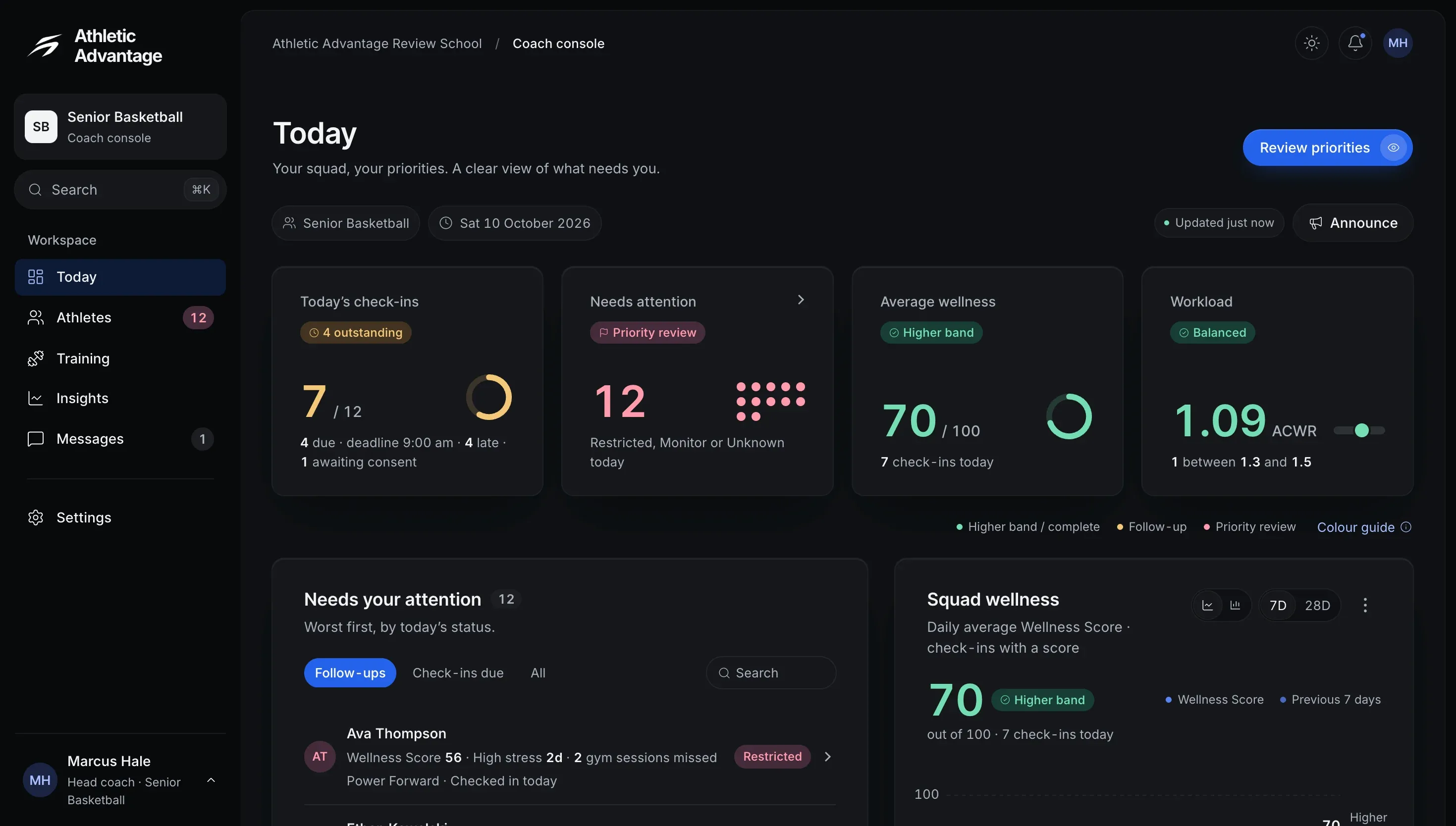
  1. Today

    The coach console’s Today page for the Senior Basketball team: 7 of 12 athletes checked in, 12 needing attention, an average Wellness Score of 70 and a workload ratio of 1.03, above the list of athletes who need follow-up

    Coach consoleSample data

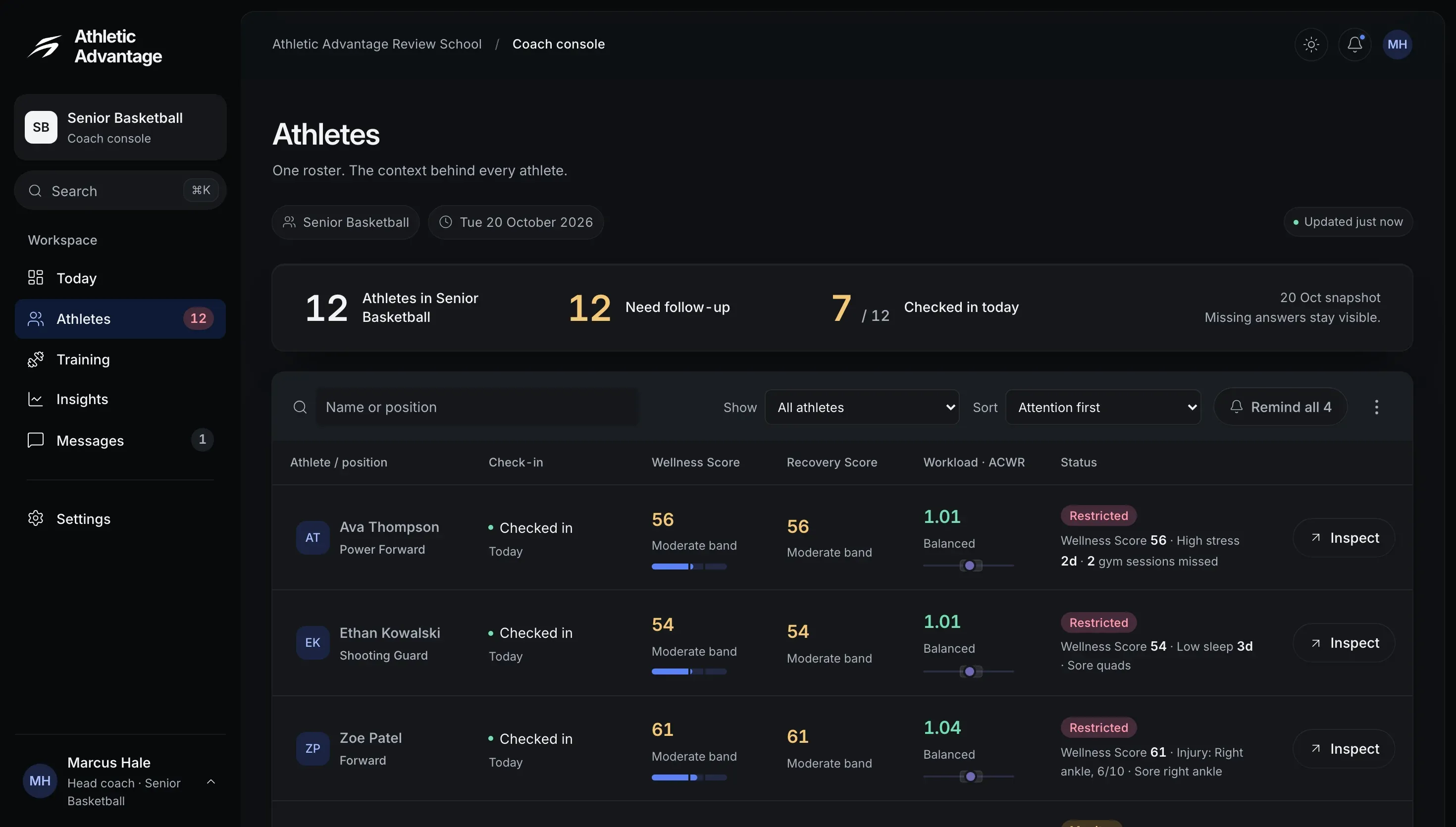
  2. Athletes

    The coach console’s Athletes page: 12 athletes in Senior Basketball, 7 of 12 checked in today, and the roster with each athlete’s check-in, Wellness Score, Recovery Score, workload ratio and status

    Coach consoleSample data

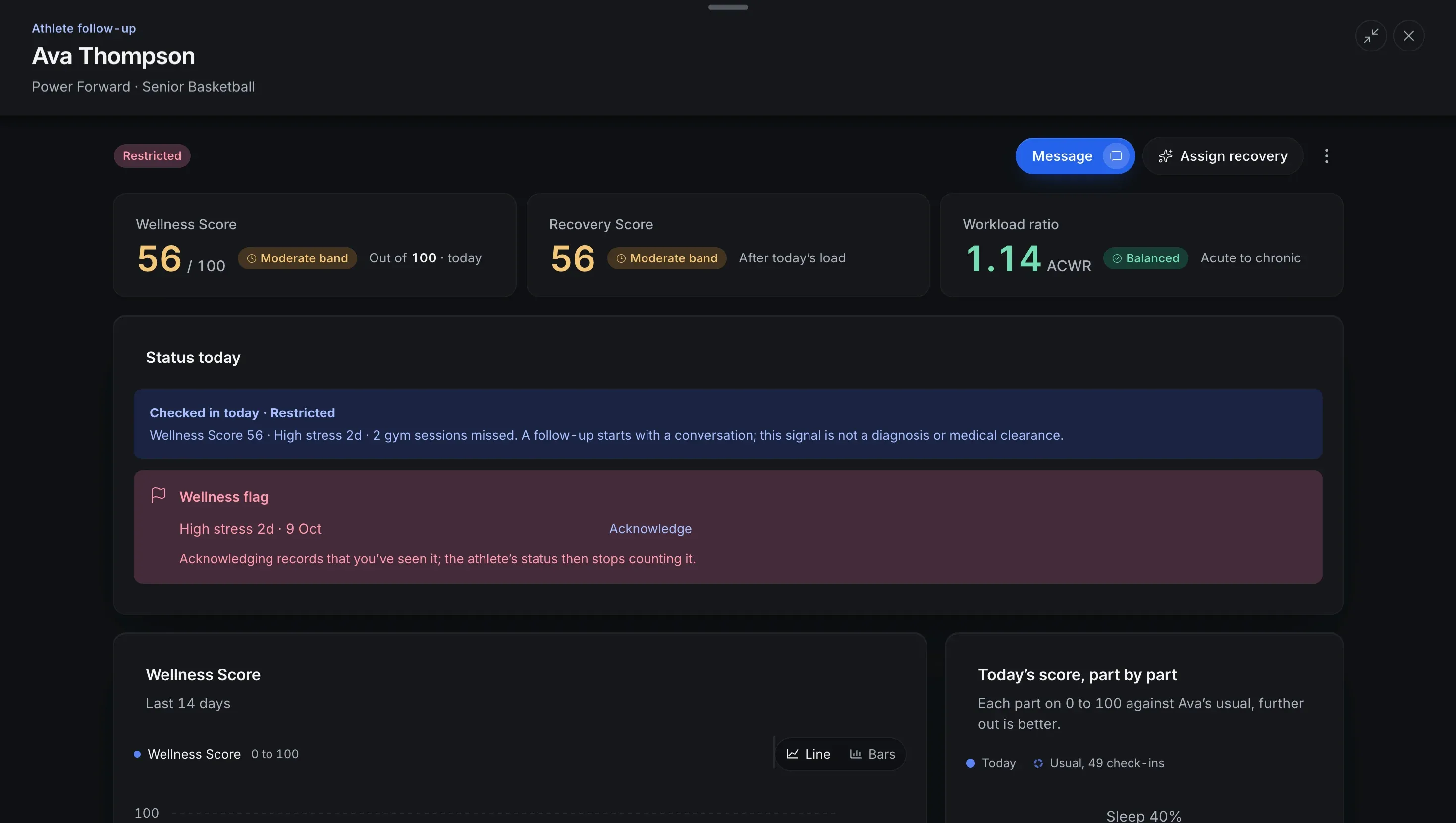
  3. Follow-up

    An athlete’s follow-up panel in the coach console: a Wellness Score of 56 and a Recovery Score of 56, both in the Moderate band, and a workload ratio of 1.14 (Balanced), above the athlete’s status today, a wellness flag to acknowledge and the last 14 days of Wellness Score

    Coach consoleSample data

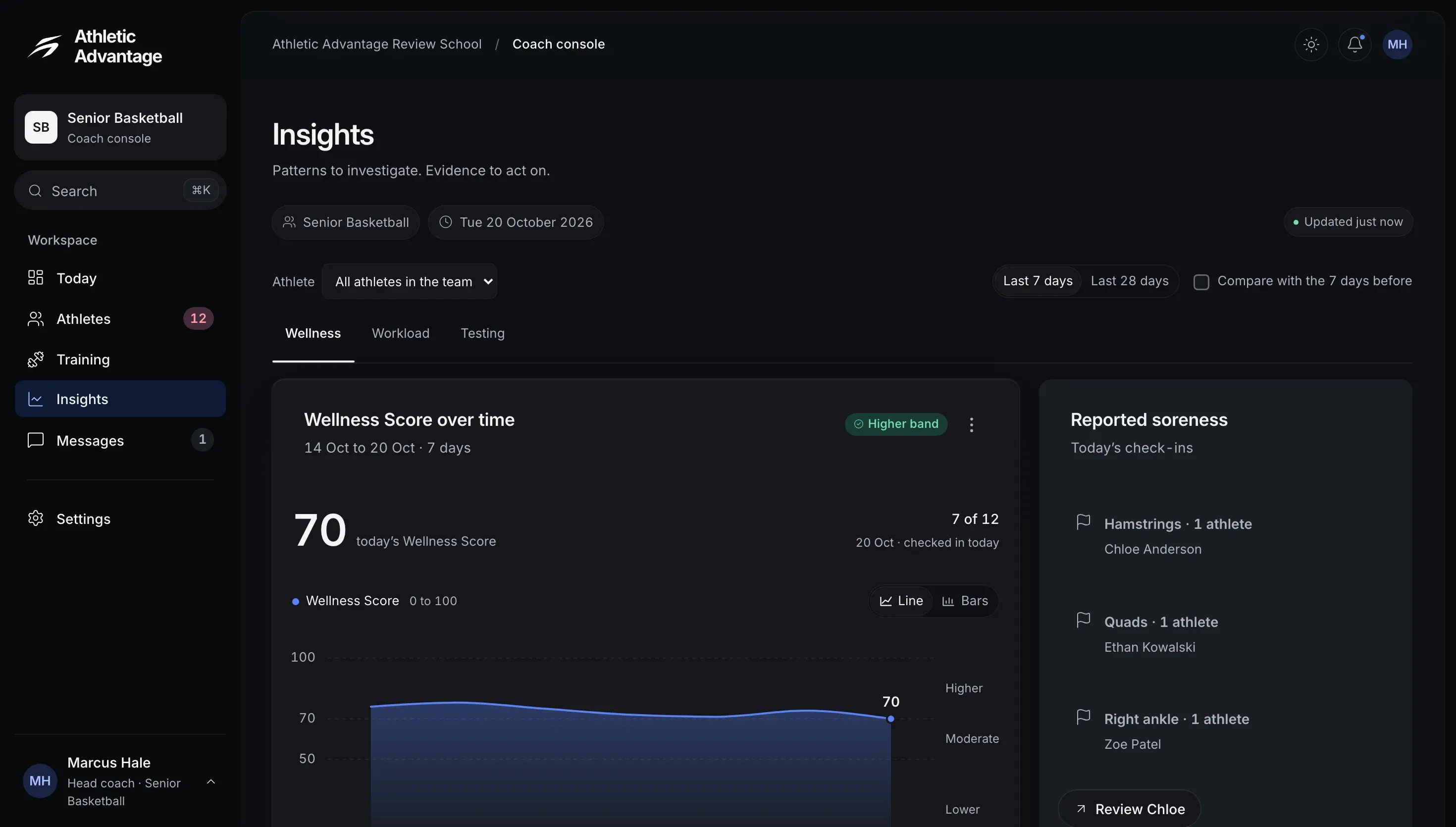
  4. Insights

    The coach console’s Insights page, Wellness tab: the squad’s Wellness Score over the last seven days, 70 today with 7 of 12 athletes checked in, beside reported soreness by body area

    Coach consoleSample data

  5. Gym programs

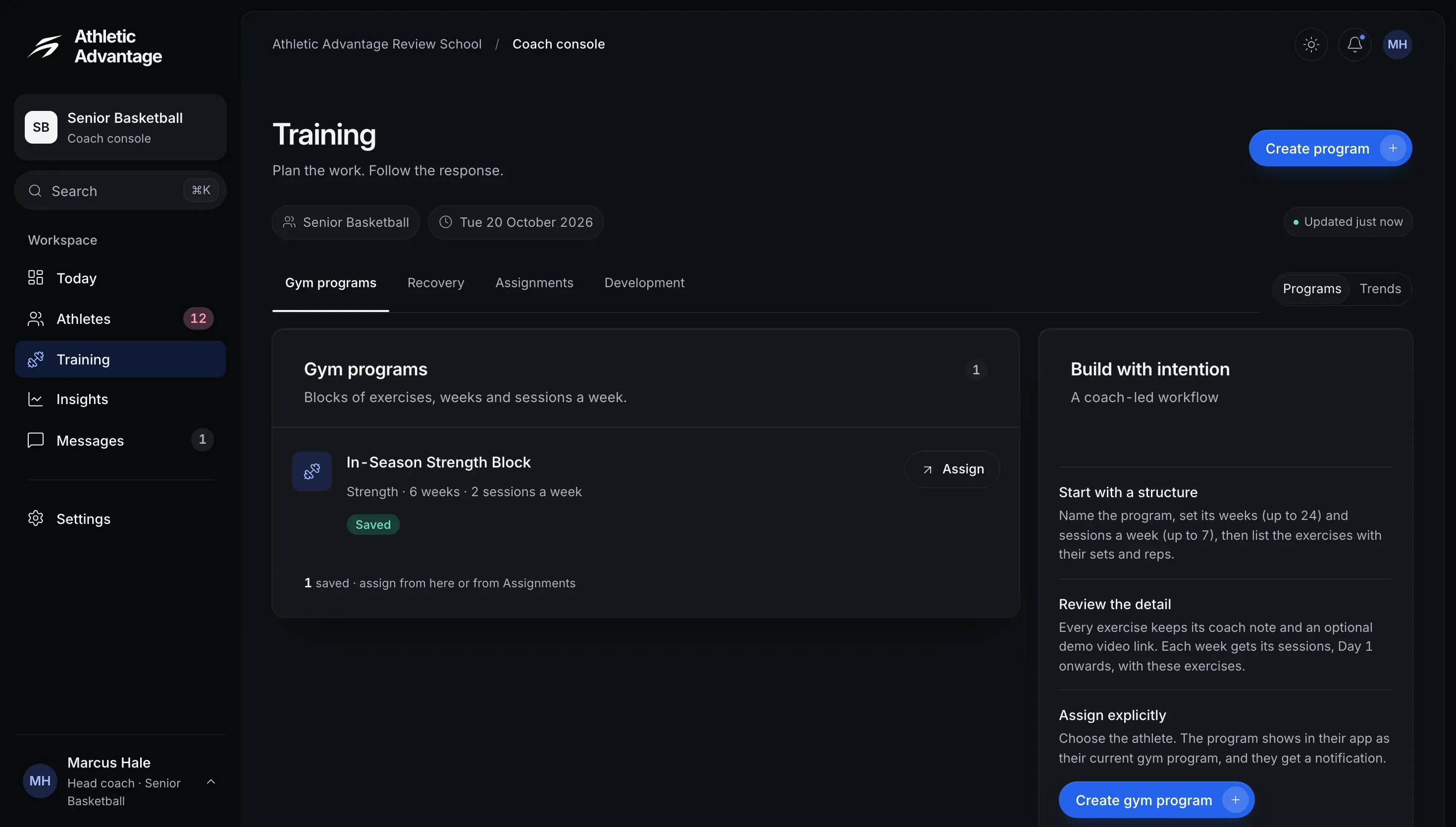
    The coach console’s Training page, Gym programs tab: one saved gym program, the In-Season Strength Block (6 weeks, 2 sessions a week), with an Assign button

    Coach consoleSample data

  6. Recovery

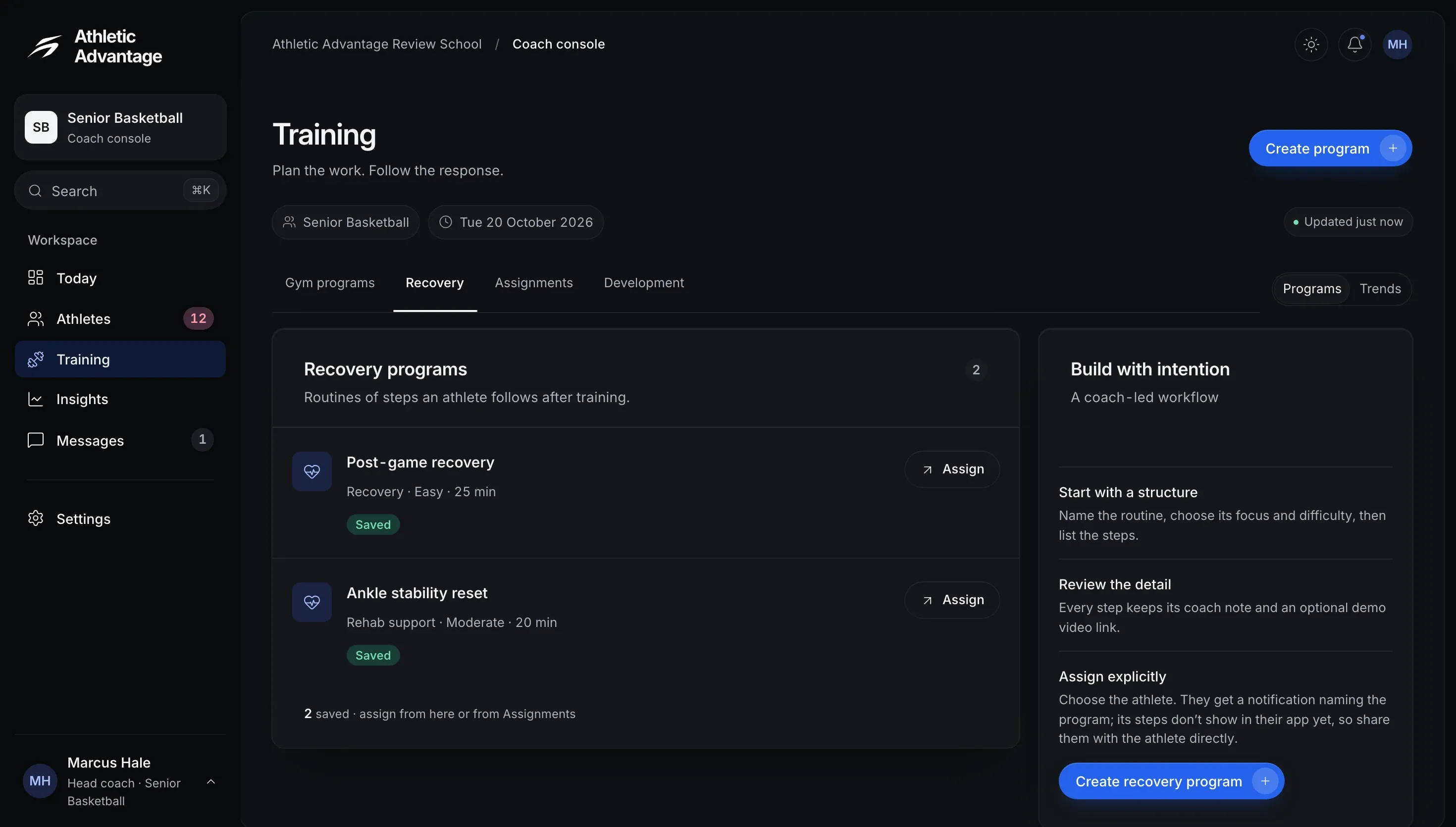
    The coach console’s Training page, Recovery tab: two saved recovery programs, Post-game recovery and Ankle stability reset, each with an Assign button

    Coach consoleSample data

  7. Development

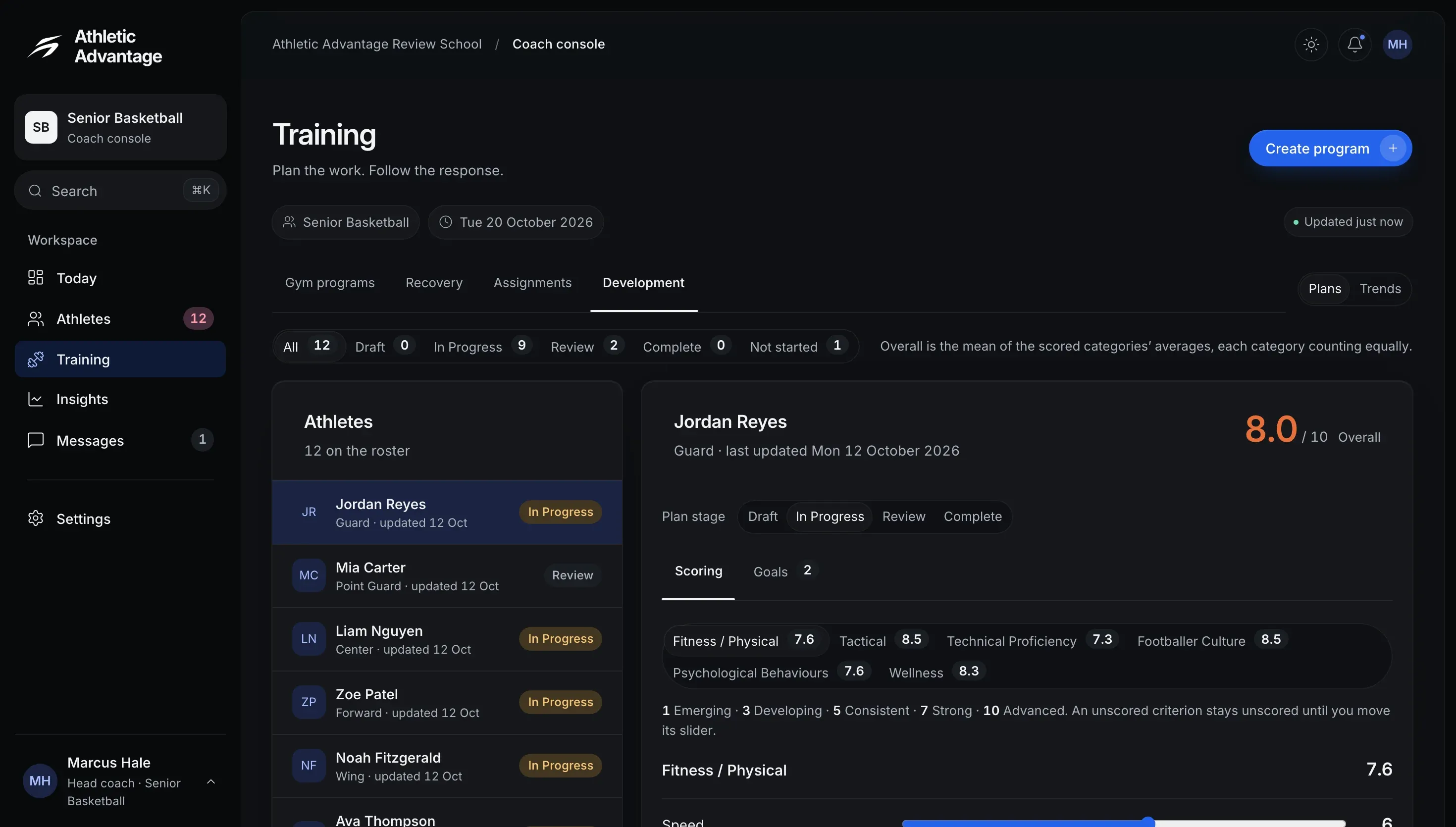
    The coach console’s Training page, Development tab: the squad’s development plans by stage (9 in progress, 2 in review, 1 not started) and one athlete’s plan, scored 8.0 out of 10 overall, with a rating for each criterion

    Coach consoleSample data

  8. Messages

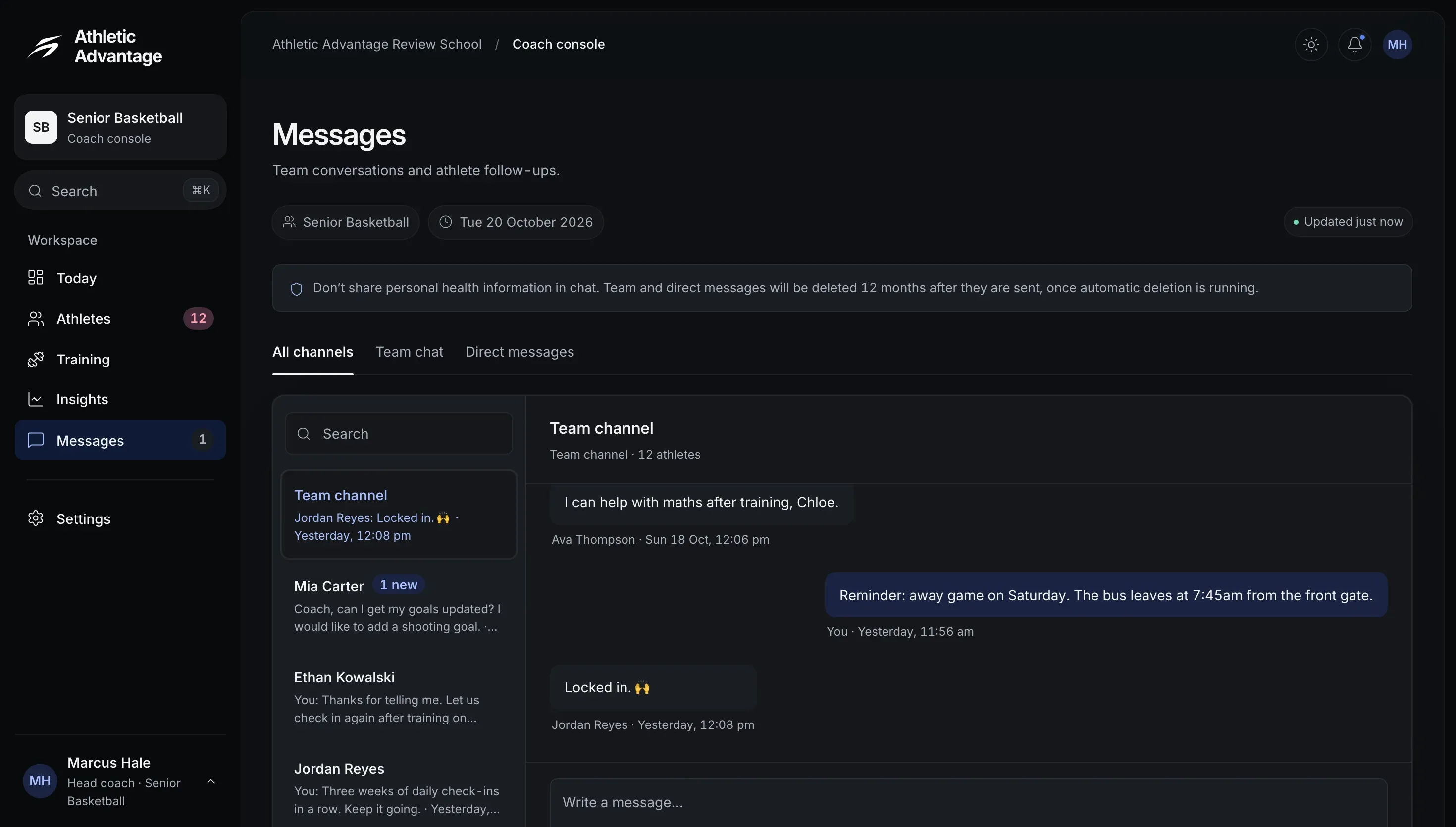
    The coach console’s Messages page: the team channel and its conversation, beside the list of the team channel and the athletes’ conversations, under a note not to share personal health information in chat

    Coach consoleSample data

  9. Overview

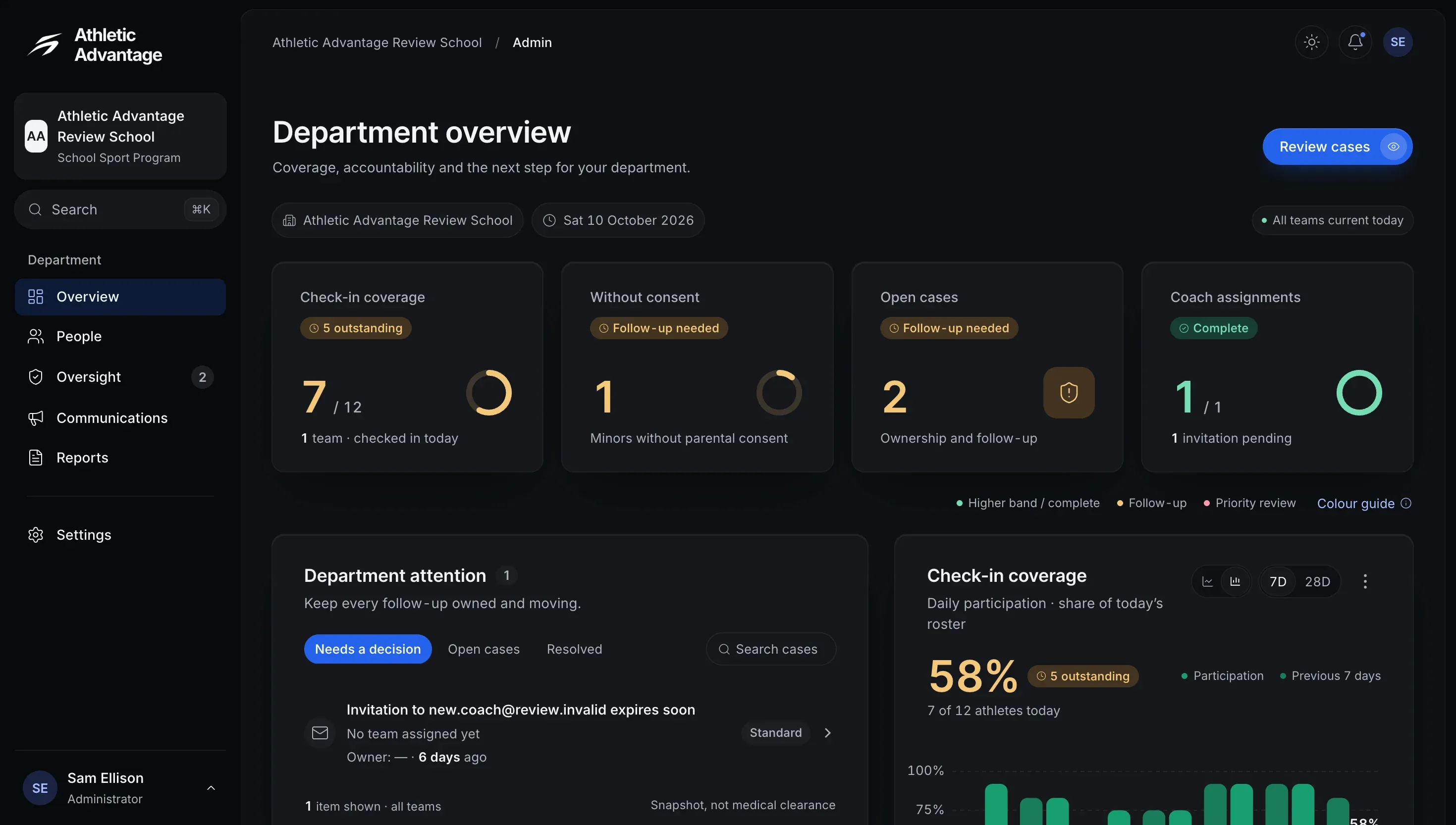
    The administrator’s Department overview: 7 of 12 athletes checked in today, 1 minor without parental consent, 2 open cases and 1 of 1 coach assignments, above the department’s attention list and a check-in coverage chart

    Admin consoleSample data

  10. Check-in coverage

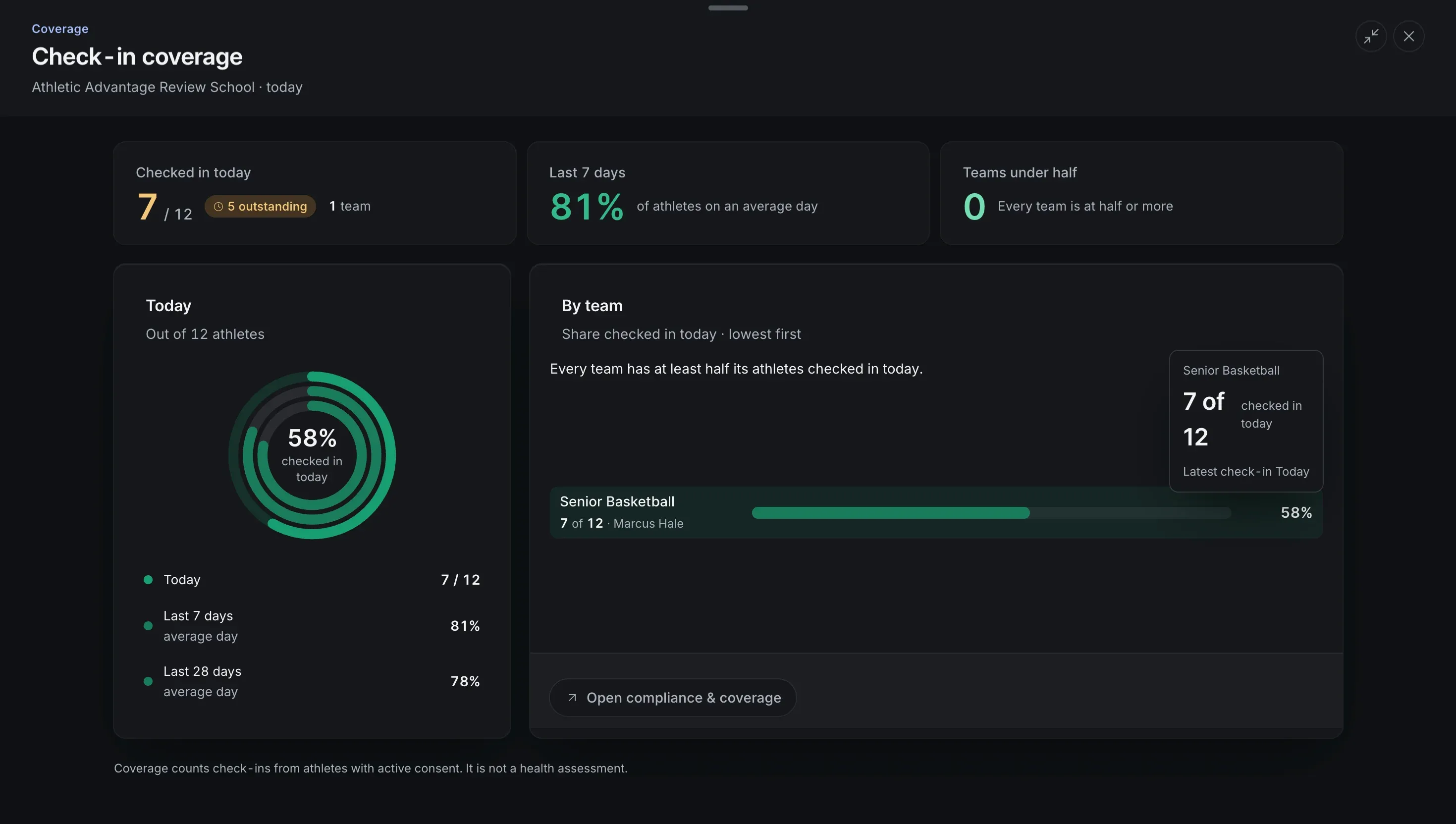
    The administrator’s Check-in coverage panel: 7 of 12 athletes checked in today (58%), 81% of athletes on an average day over the last 7 days and 78% over the last 28 days, with the team’s share beneath

    Admin consoleSample data

  11. Oversight

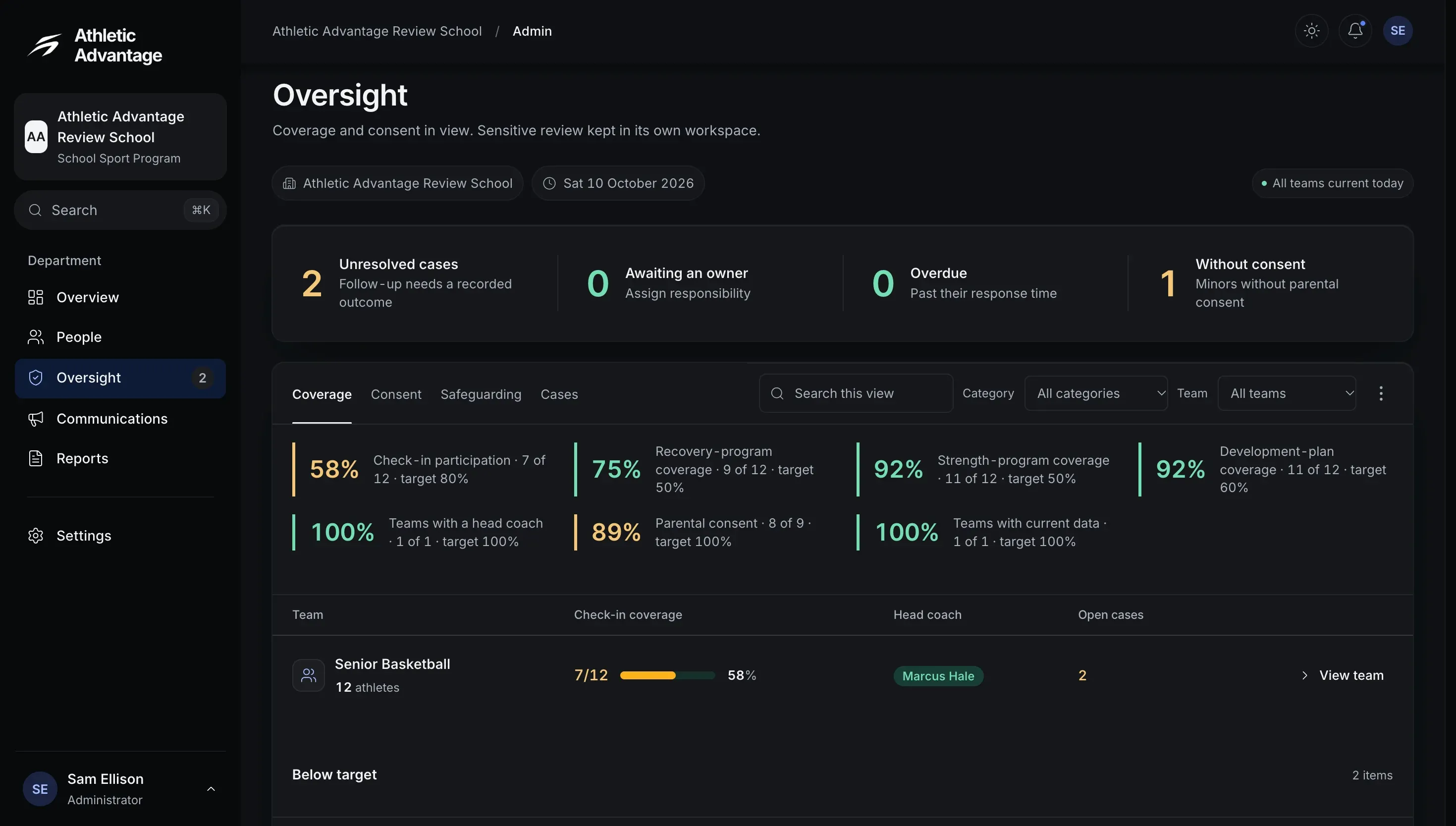
    The administrator’s Oversight page, Coverage tab: 2 unresolved cases, none overdue and 1 minor without parental consent, then coverage against each target (check-in participation 58%, parental consent 89%) and the team’s check-in coverage, head coach and open cases

    Admin consoleSample data

  12. Case review

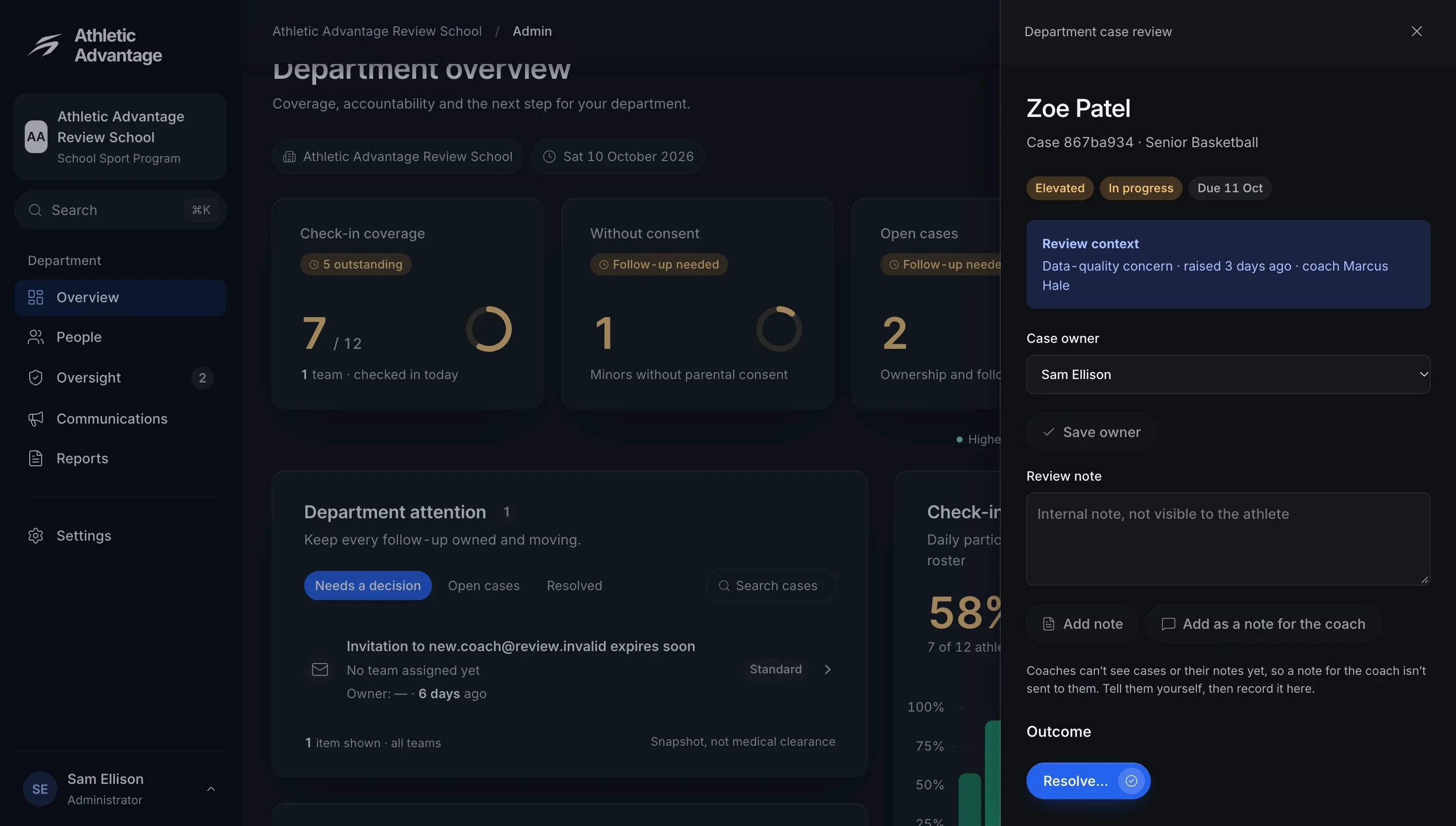
    The administrator’s Department case review panel for an elevated case in progress and due the next day: its review context, the case owner, a review note that the athlete cannot see, and the outcome to record

    Admin consoleSample data

  13. People

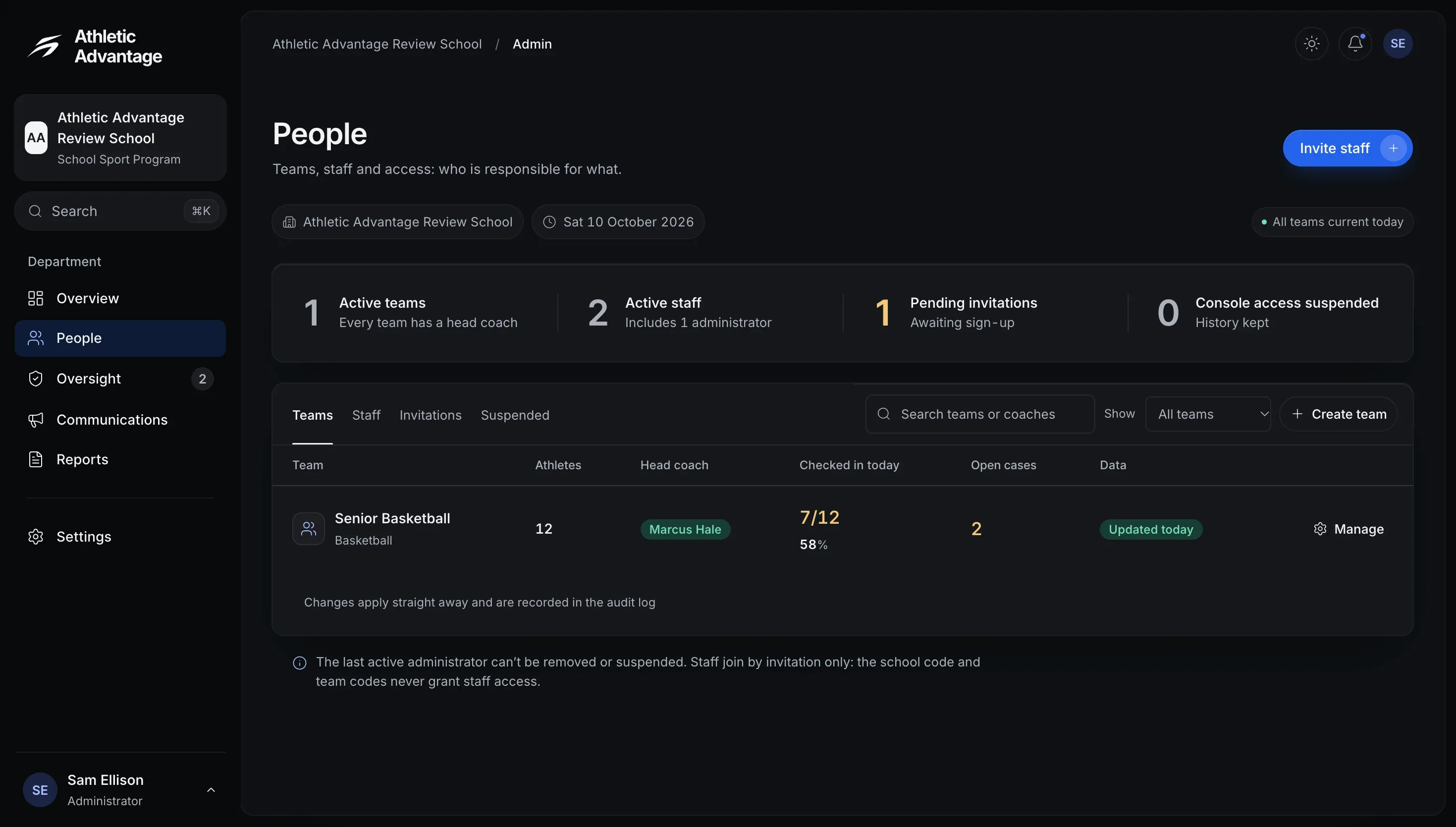
    The administrator’s People page: 1 active team, 2 active staff, 1 pending invitation and 0 suspended, with the team’s athletes, head coach, check-ins today and open cases

    Admin consoleSample data

The six systems.

  1. Daily check-ins
  2. Training
  3. Squad Wellness
  4. Recovery programs
  5. Development plans
  6. Team chat

Daily check-ins

Five quick steps, then a recovery score from 0 to 100%.

  • Check in once a day.
  • Tap the body map where you’re sore, then pick any issues.
  • Do you feel sick or unwell? If so, it asks three more questions.
Recovery screen: today's recovery 77 percent, high, with sleep, body, stress and mood scores and a seven-day trend

Training

Gym programs, session logging and the workload ratio.

  • Your coach assigns it. Rate each session’s effort from 1 to 10.
  • Team training, games and skills sessions go in the Training Log, and every session adds to your training load.
  • Workload ratio: this week against the last four.
Gym screen: next session, week 4 of 6, Lower Strength, with the in-season strength block 42 percent complete

Squad Wellness

The whole squad, sorted by recovery.

Who has checked in today and who needs attention, lowest recovery first, then who is improving, who is declining and the recovery trend this week.

  • Reminders are sent only when you send them: one athlete, or everyone without a check-in.
  • The team’s average recovery for each of the last seven days.
  • Up to three athletes whose recovery rose most this week.
Coach: Squad Wellness morning command, 7 of 12 athletes checked in, coach attention list

Recovery programs

Starter templates or your own, for one athlete or the group.

In the app, a coach picks the athletes or the whole team and assigns a program. It shows under Coach assigned, beside the athlete’s own.

  • Saved programs, ready to assign.
  • Programs for recovery, assigned the same way.
  • Who is on which program, at a glance.
Coach: recovery programs, athletes needing a program with an Assign action

Development plans

Six areas, rated by coach and athlete.

Every area on one radar, then each metric scored out of 10, with goals and a timeframe. Athletes can rate themselves, too.

  • You can rate yourself before your coach publishes your plan.
  • Every plan by stage, and each athlete’s ratings.
Development screen: a six-category radar of fitness, tactical, technical, culture, mental and wellness, with the performance scores below

Team chat

Team notices and private conversations.

  • Your team’s conversation, and a private one with your coach.
  • Your coach’s team notices show on Home.
  • The team channel beside each athlete’s conversation.
Athlete: Messages, with a team conversation and a coach conversation

Six systems. One enrolment.

Priced per school, with every system in both plans.